 Deutsch
 España
 Francais
 Polish
 Russian
 Čeština
 Greek
 Lithuania
 Romanian
 Arabic
 Português
 Indonesian
 Croatian
 Serbia
 Farsi
 Hebrew
 Mongolian
 Bulgarian
 Georgia
 Azerbaijani
 Thai
 Turkish
 Magyar
Export to MS Excel - Available teachers


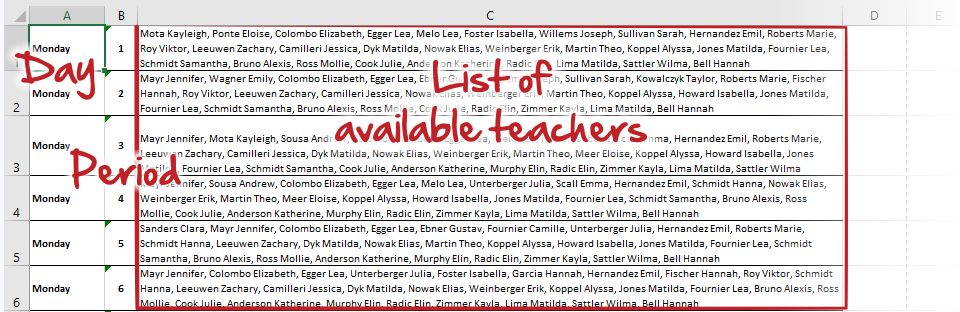
Once your timetable is created you can export for every period the list of all teachers with no lesson.
In menu File - Export - Export to MS Excel use "Available teachers" option.
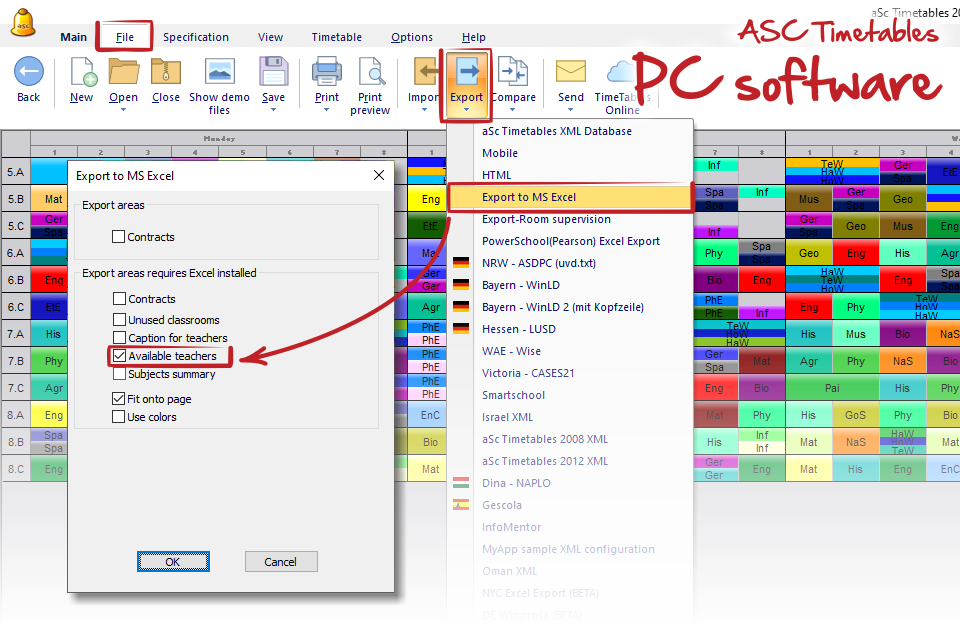
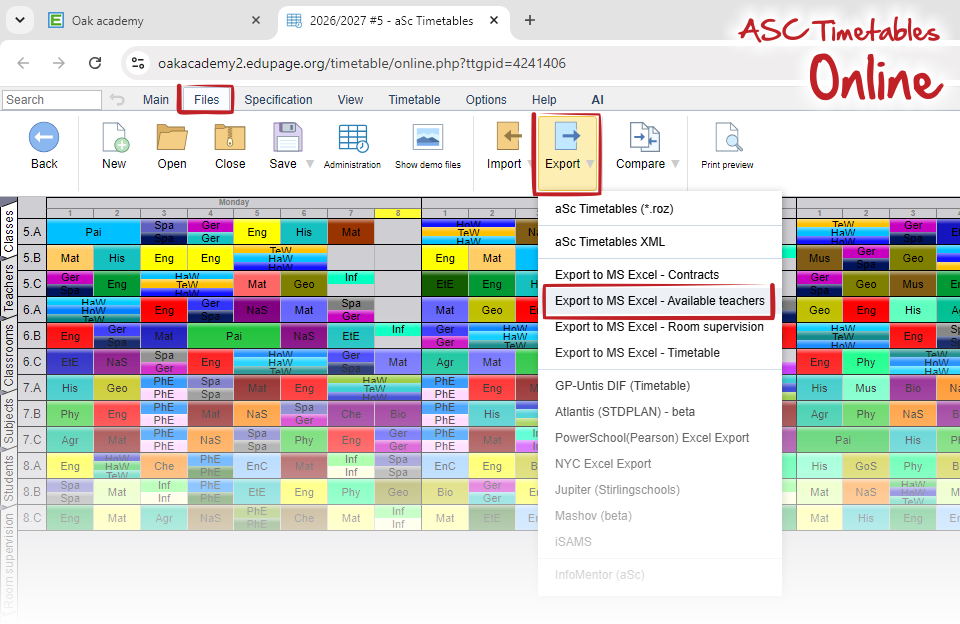
The export contains for every day and period the list of all teachers with no lessons at that time.
Note:
If you are considering this export for substitution management purposes, please use the complete Substitution Online module directly within your EduPage.
What is aSc Substitution software good for?