 Francais
 Čeština
 Romanian
 Arabic
 Português
 Indonesian
 Croatian
 Serbia
 Farsi
 Hebrew
 Mongolian
 Georgia
 Azerbaijani
 Thai
 Turkish
 Magyar
Can I export the lessons, teachers, subjects to MS Excel?


You can export your timetable via File – Export – Export to MS Excel into a single Excel file containing multiple sheets.
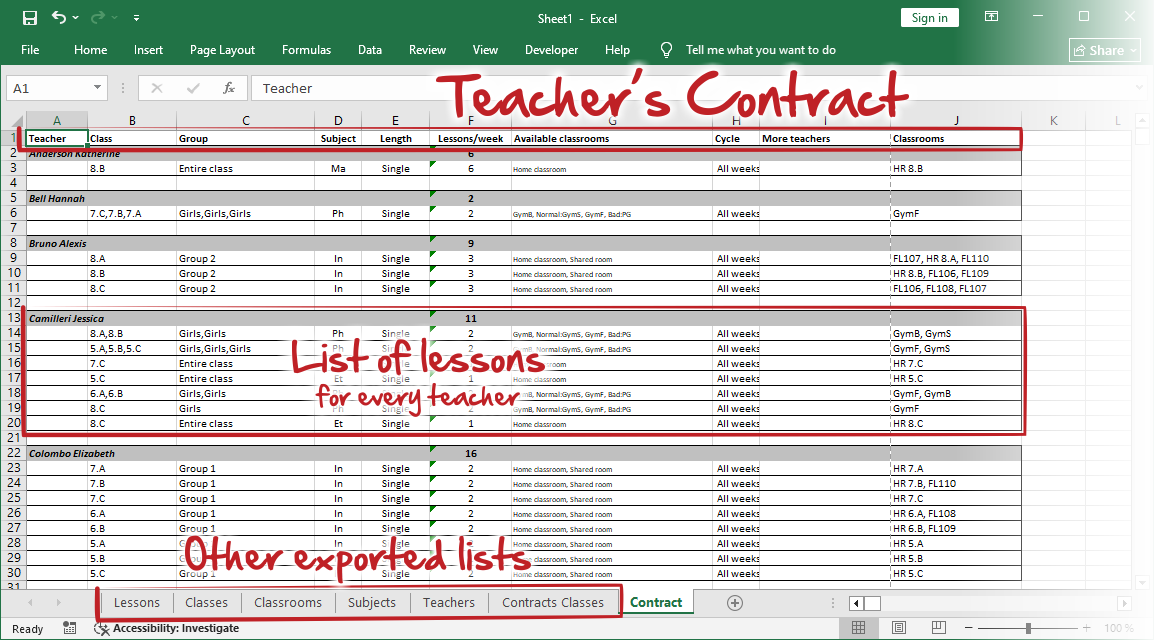
The most useful sheet is "Contracts", which contains all your inputs, regardless of whether you have already generated the final timetable.
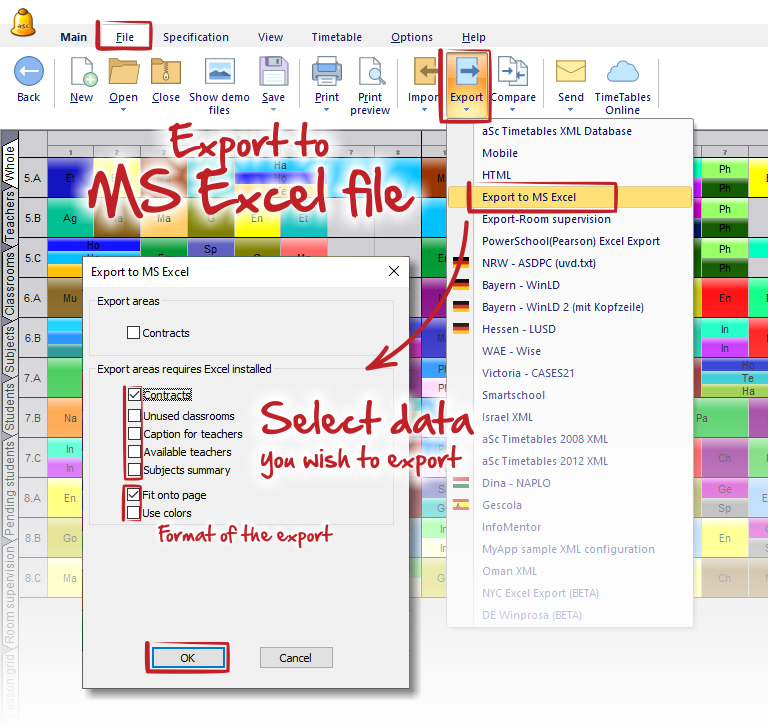
The exported file contains the following sheets:
- Contracts – Contains a list of all teachers' contracts (inputted lessons). It is the most useful sheet for checking teacher workloads and reviewing lesson assignments.
- Contracts Classes – Similar to the previous sheet, but lists all inputted lessons for each class. It is useful for checking the lessons assigned to each class.
- Teachers, Subjects, Classrooms, Classes – Lists all objects, along with some relevant basic information.
- Lessons – Contains all inputted lessons in a single table. It is useful for reviewing, filtering, and analysing lesson inputs in one place.
Notes:
These sheets contain input data, not the final generated timetable. You can export them even before generating the timetable and import these exports back into aSc TimeTables.
Check this article Importing from Clipboard (MS Excel)