
 Slovenčina
  Deutsch
  Francais
  Čeština
  Romanian
  Arabic
  Português
  Indonesian
  Croatian
  Serbia
  Farsi
Farsi  Hebrew
  Mongolian
  Georgia
  Azerbaijani
  Thai
Thai  Turkish
  Magyar
 =How to print DPA, Entry, Lunch, Recess?


Some schools want the printout to look like this:
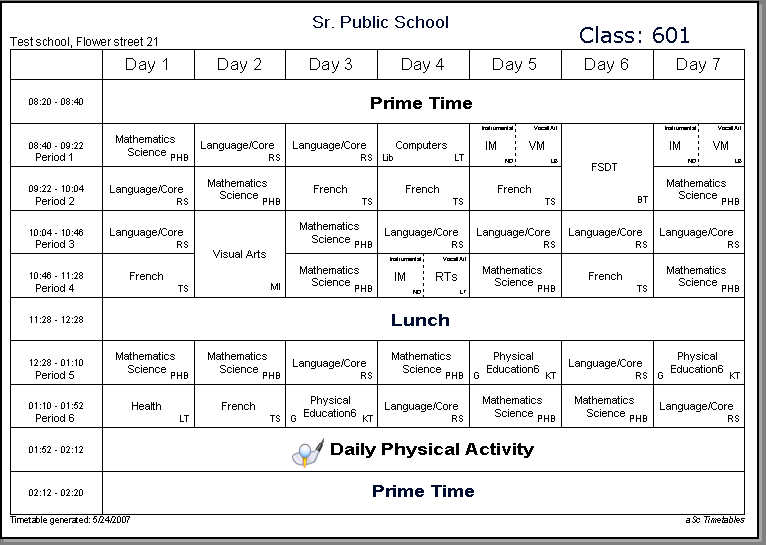
If you are one of these schools, please take the following steps:
1. Block the periods:
For each class specify in the timeoff that there is no education at these periods:
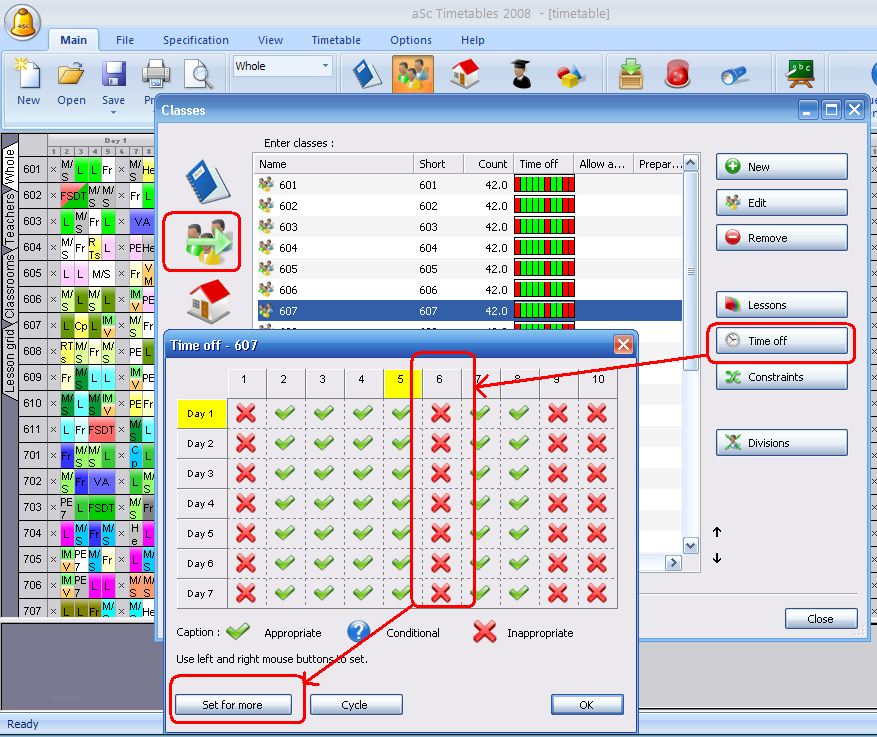
2. Once you do this, the software will realize that you want to skip these periods and will not number them in the printouts:
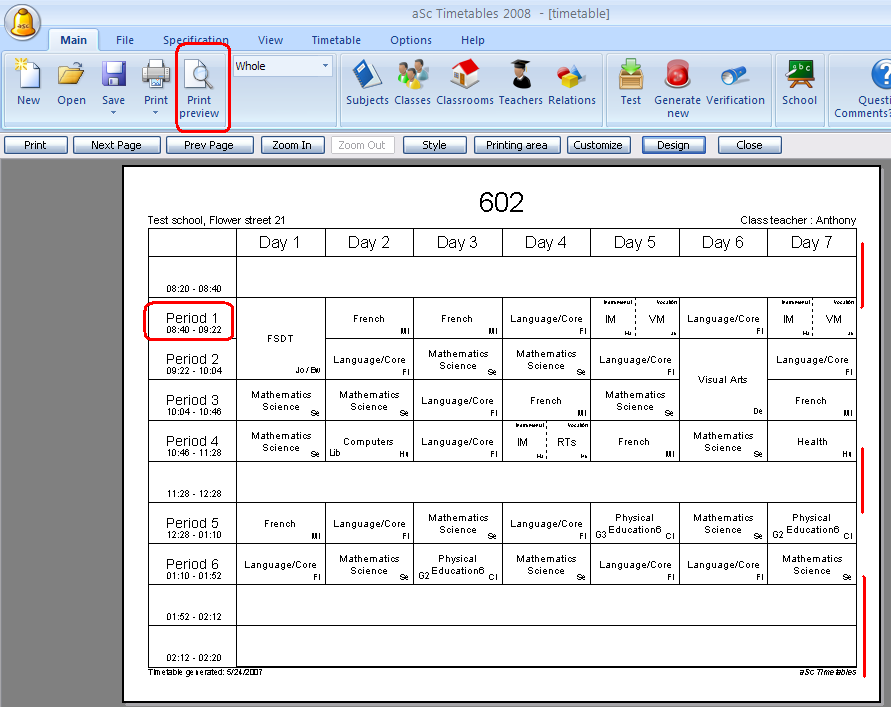
You might have to switch the printouts to display days in columns in case you haven't done so already:
How can I print days in columns and periods in rows?
3. Create a printout design for your school:
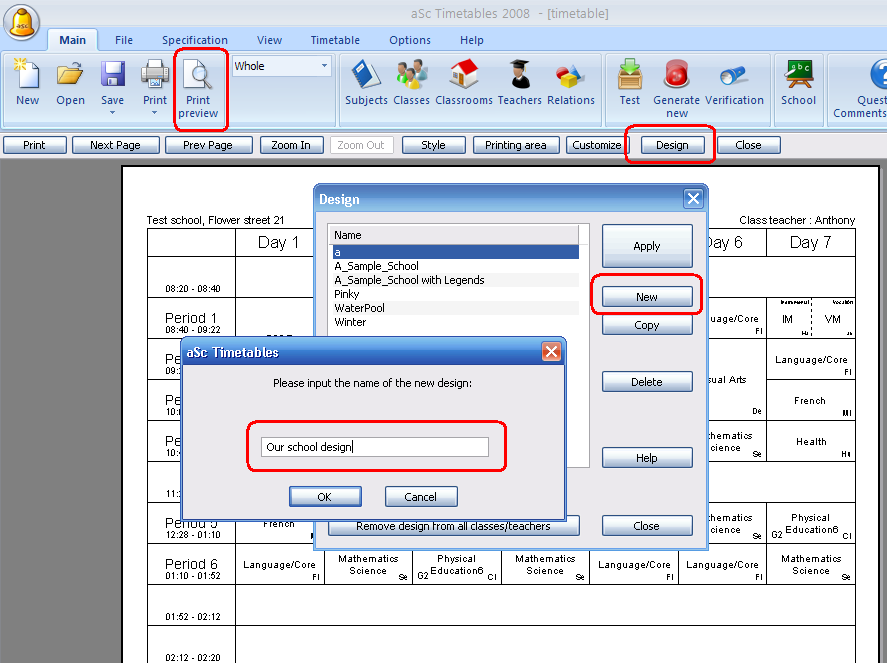
4. Click right mouse button and choose Edit Design. Then add the text field to the empty fields using right mouse button again:
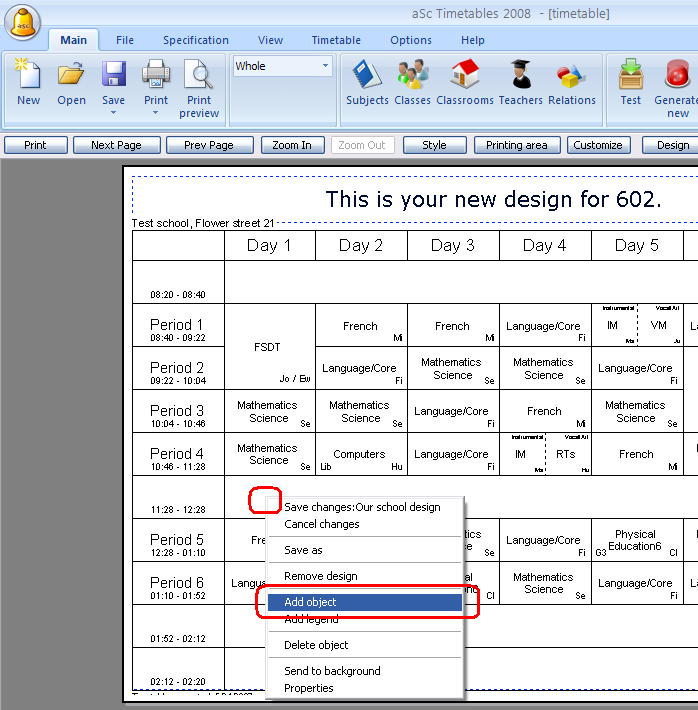
The new field is added to the topleft corner, move it to the desired position.
5. Double click on it to type the desired text:
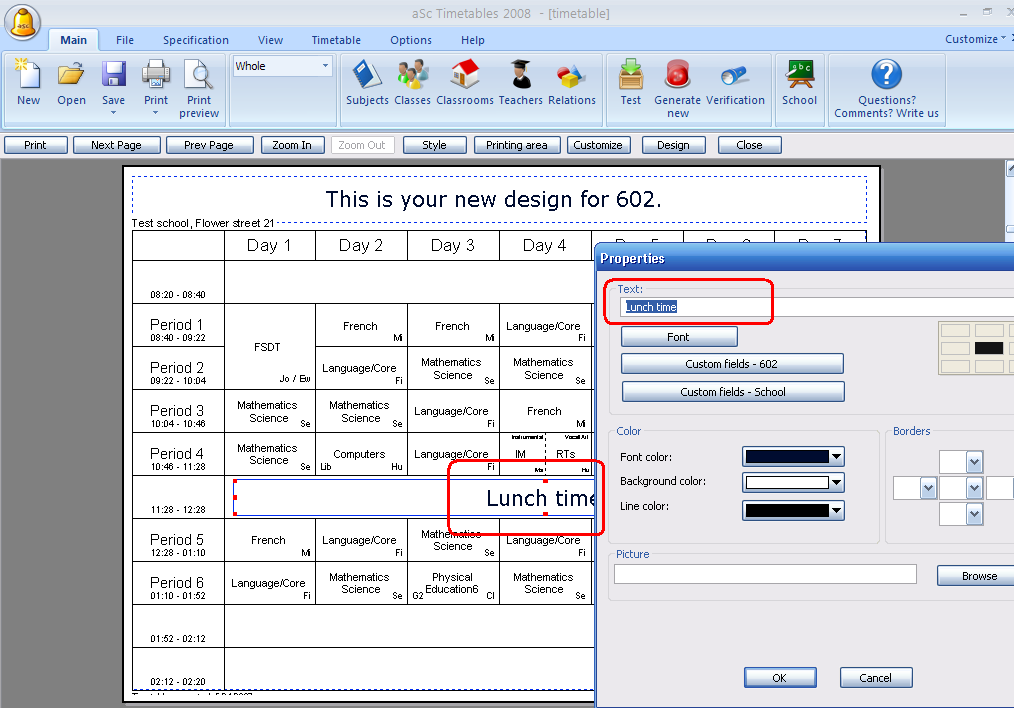
You might position the texts, change font sizes maybe add some object with pictures.
See also:
Print-out designs
How can I print days in columns and periods in rows?