Deutsch
  España
  Francais
  Polish
  Russian
  Čeština
  Greek
Greek  Lithuania
  Romanian
  Arabic
  Português
  Indonesian
  Croatian
  Serbia
  Farsi
Farsi  Hebrew
  Mongolian
  Bulgarian
  Georgia
  Azerbaijani
  Thai
Thai  Turkish
  Magyar
 How to Create a Test Using EduPage AI?


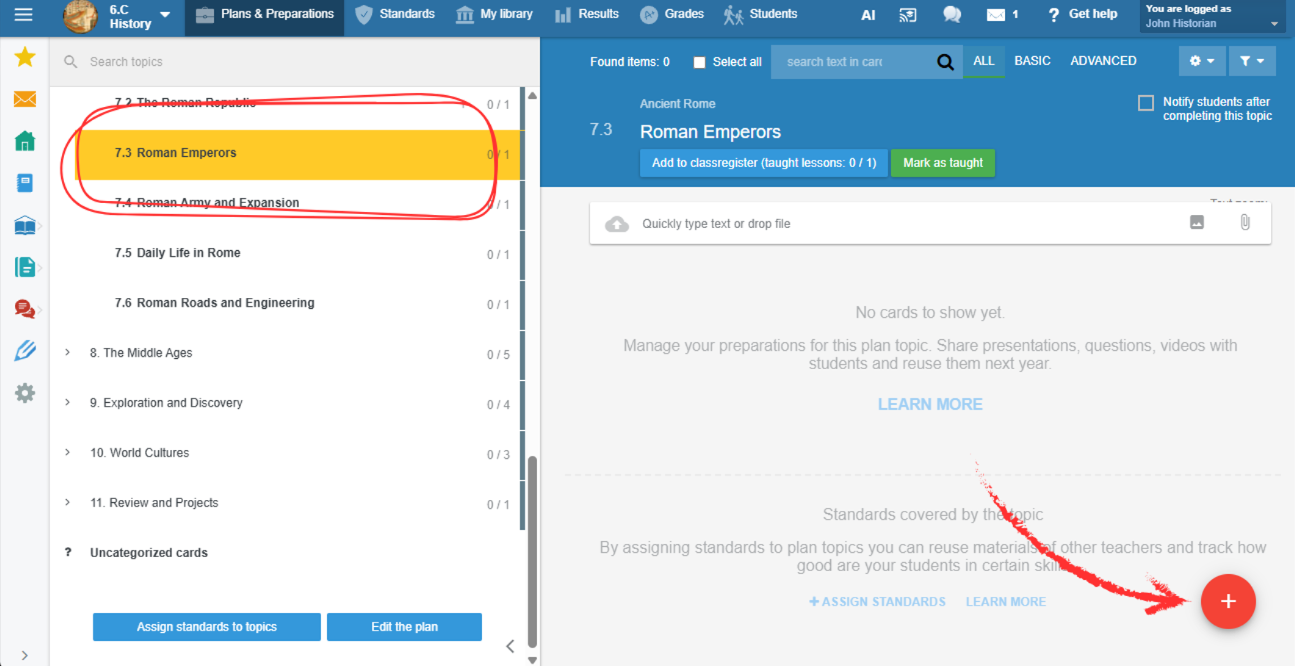
Navigate to the plan topic for which you want to prepare a test. Click the red + button.
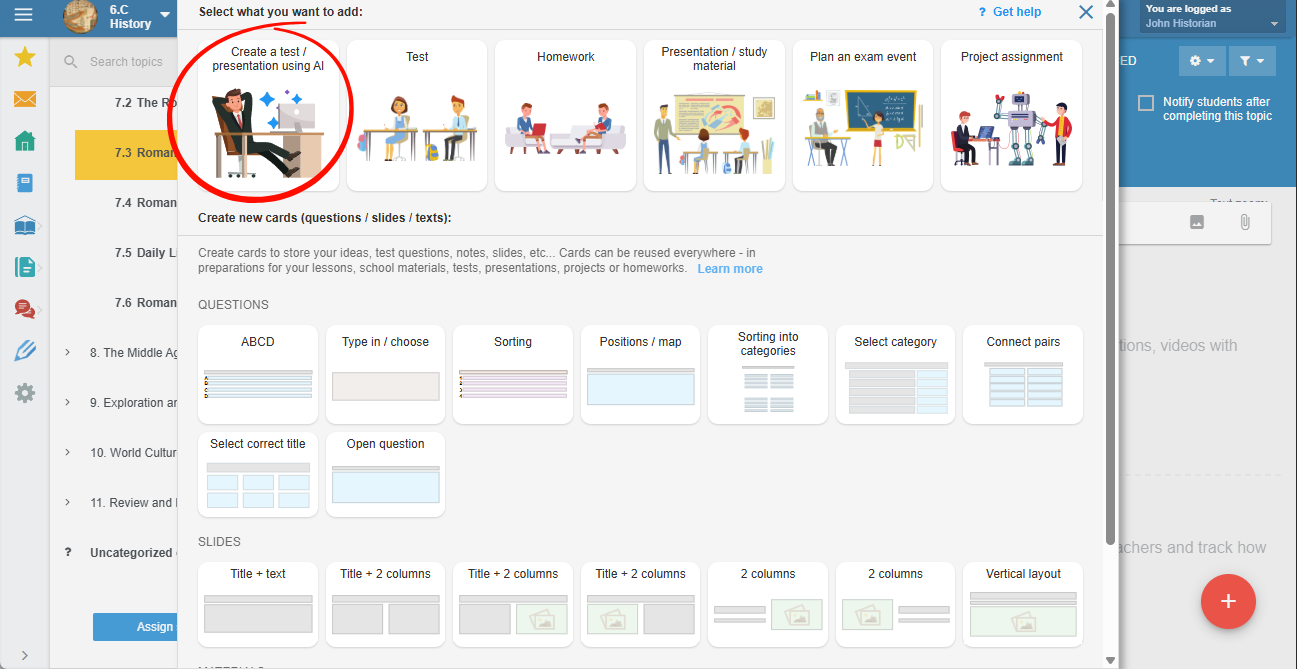
Select the first option – Create test/presentation using AI.
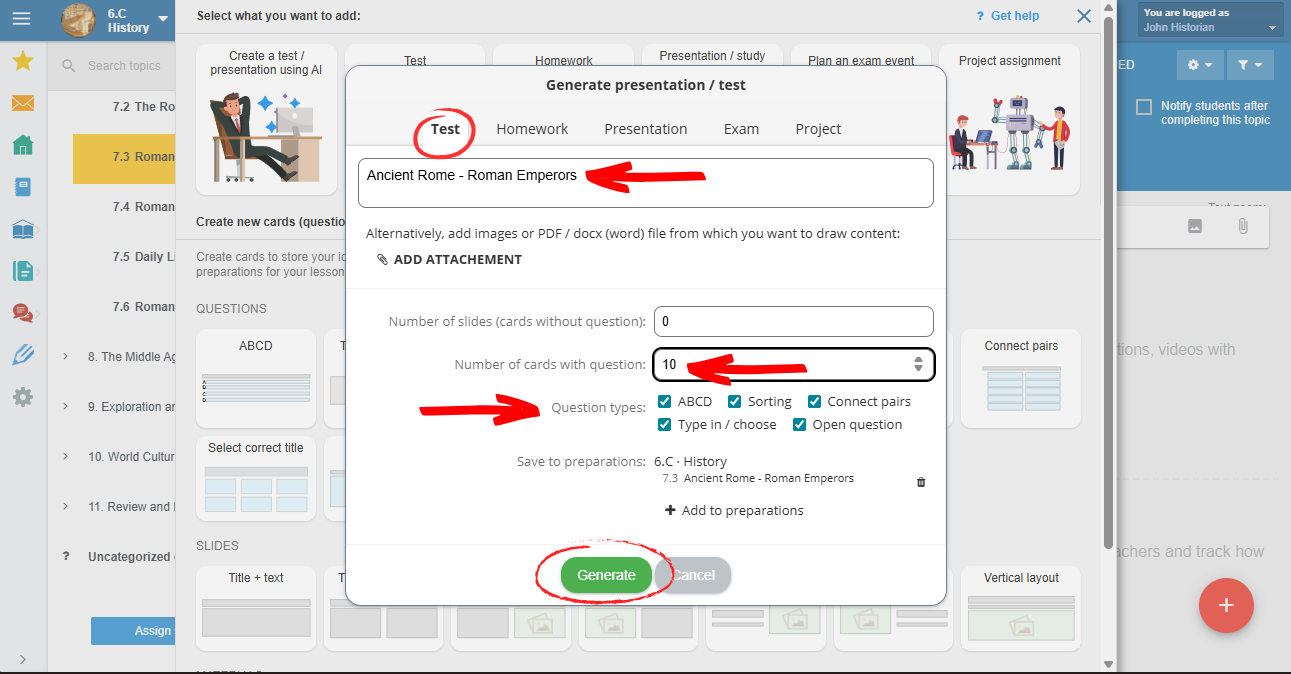
Choose Test as the material type. EduPage will automatically prefill the topic title based on the topic currently selected in the plan. If needed, you can further specify the assignment.
For a well-generated material, it is essential to provide a clear and accurate prompt describing what the AI should generate.
Select the number of questions for the test and set the number of slides to 0. Then click Generate.
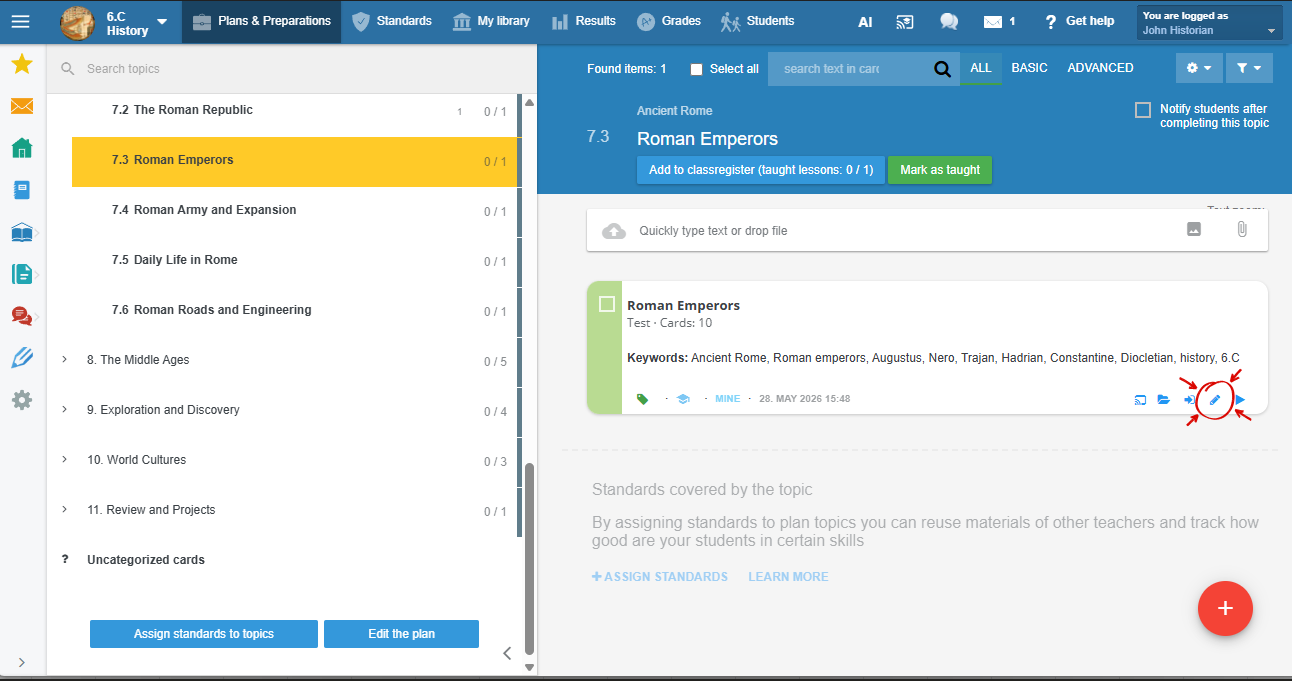
AI will create the test. You can edit it at any time by clicking the pencil icon.
Review the generated questions. You can modify them whenever needed.
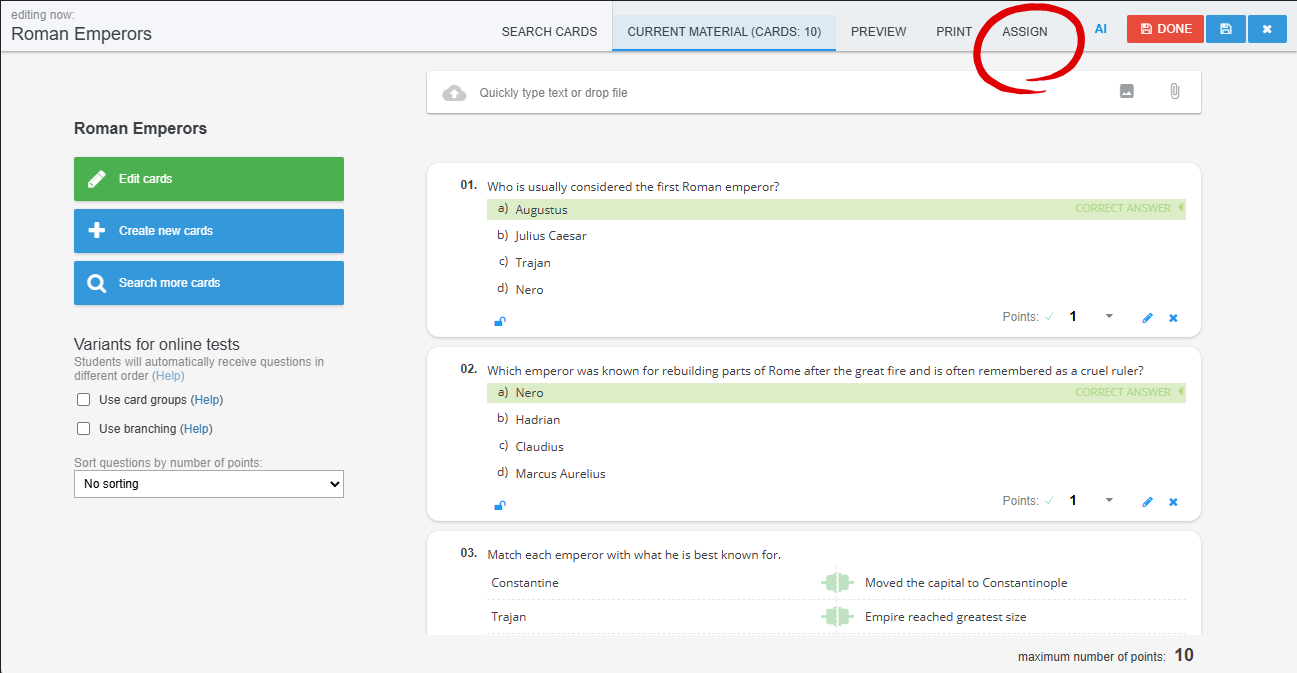
Done — your test is ready.
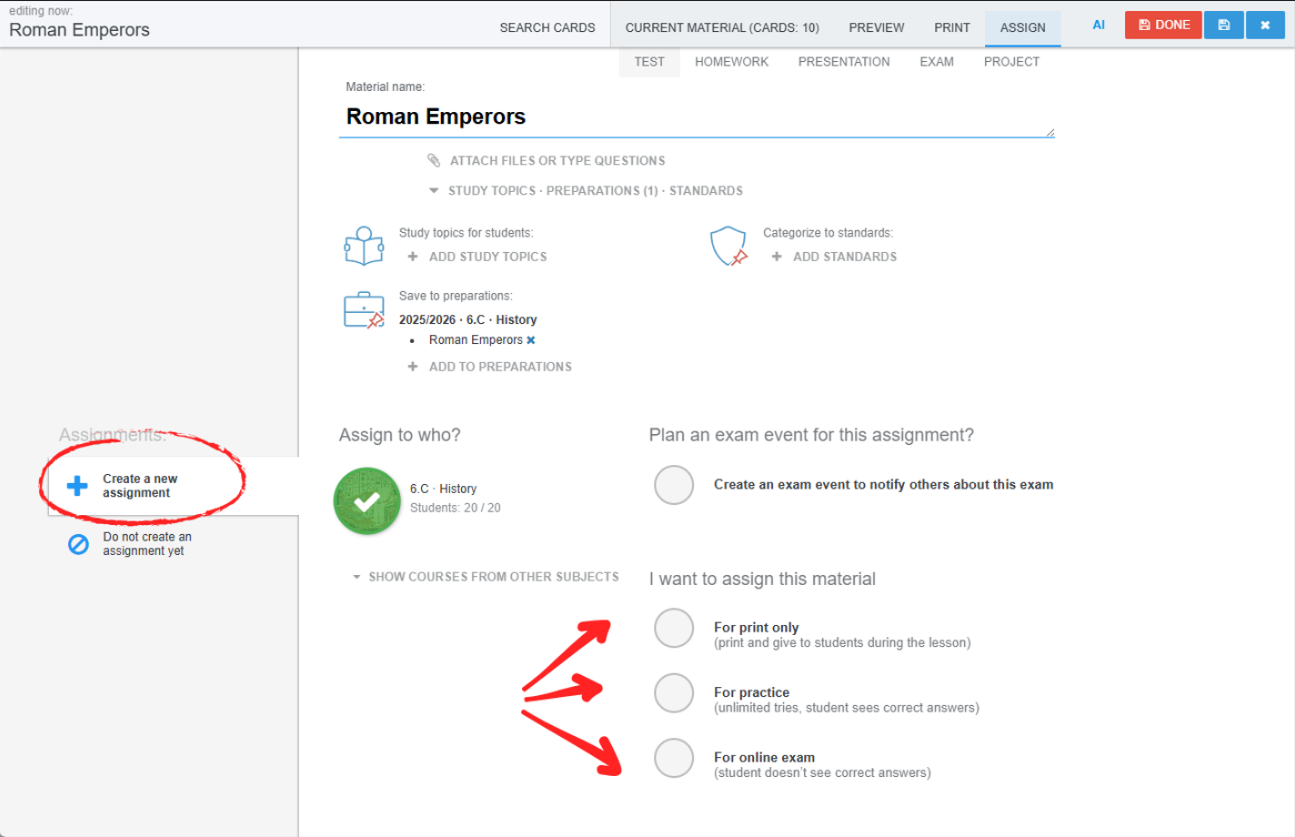
If you want to assign it immediately, create a new assignment. If you only want to save it without assigning it, click Done.