 España
 Francais
 Polish
 Greek
 Romanian
 Arabic
 Português
 Indonesian
 Croatian
 Serbia
 Farsi
 Hebrew
 Mongolian
 Georgia
 Azerbaijani
 Thai
 Turkish
 Magyar
What is new in ASC Timetables ONLINE


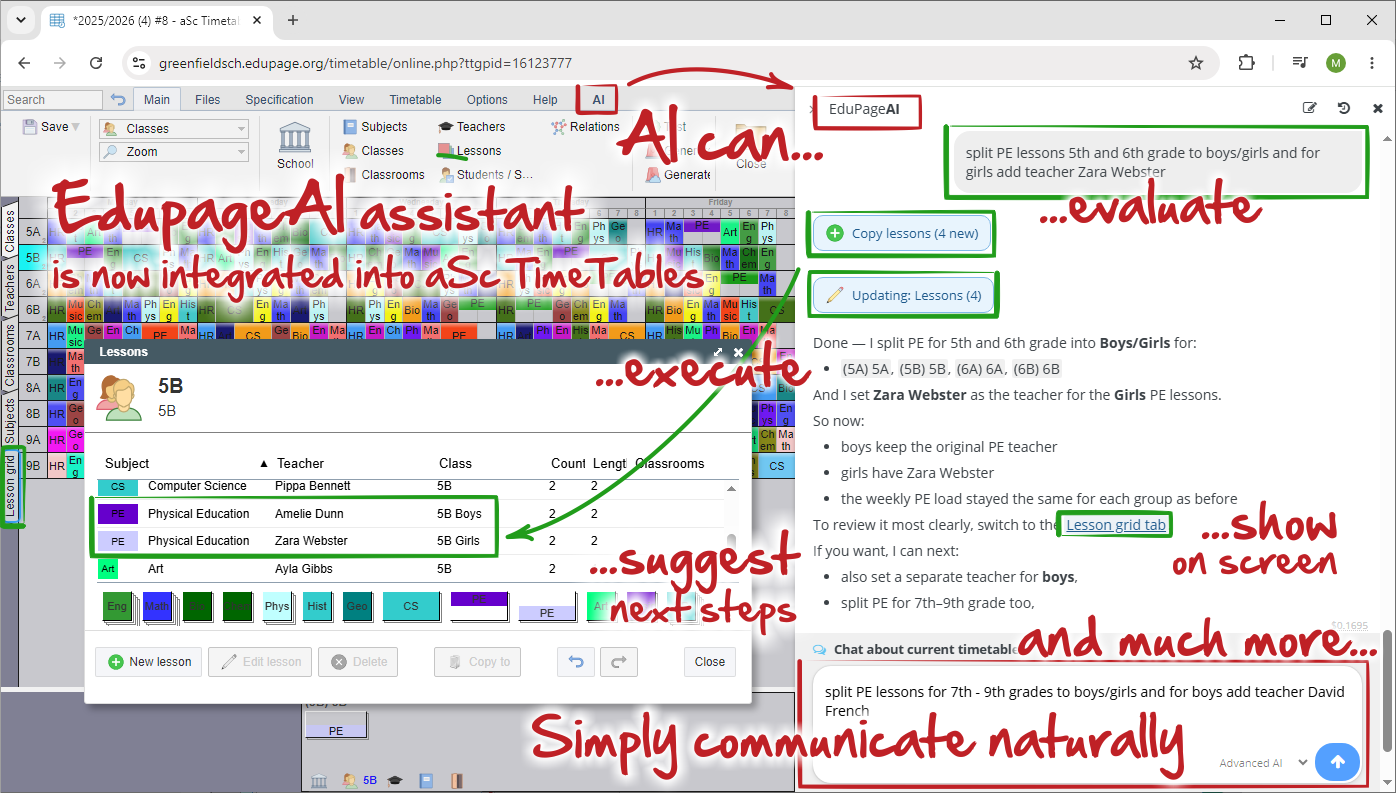
AI integration
The software includes a powerful AI
See: AI integration
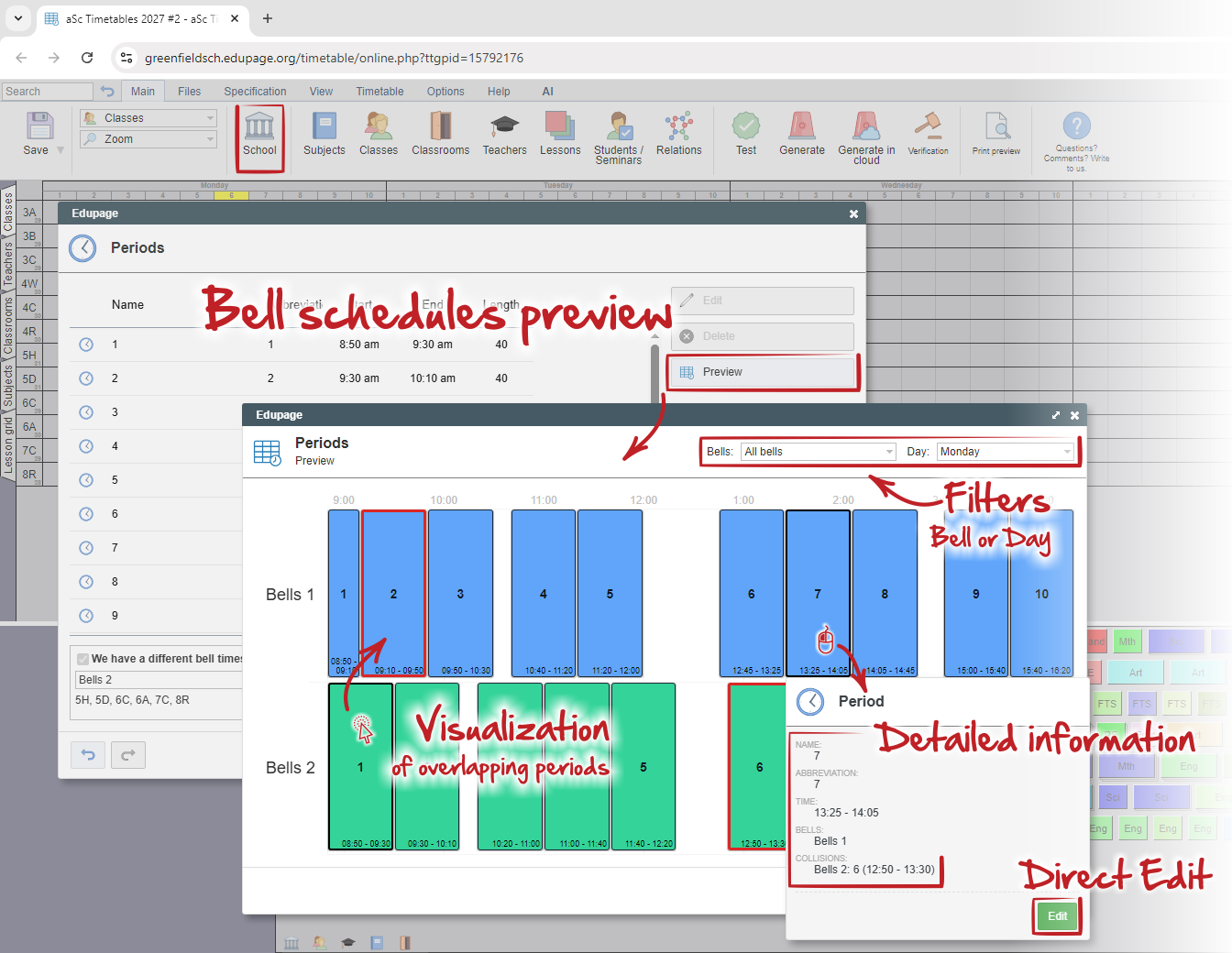
The Bell Schedule Preview Window
The new feature provides a graphical overview of all bell schedules defined in the timetable, including their actual periods time intervals.
See:=The Bell Schedule Preview Window
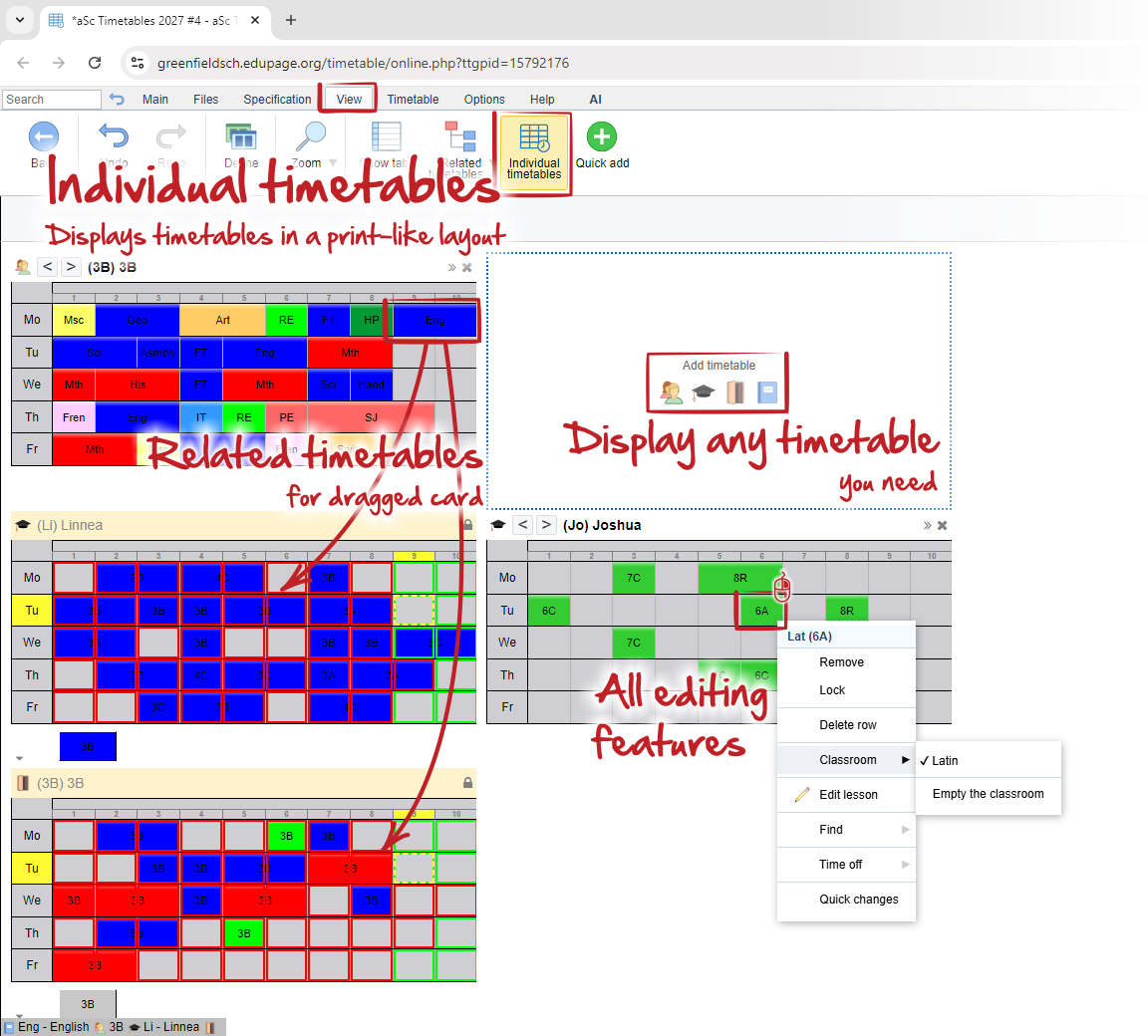
"Individual timetables" view
The new Individual timetables view simplifies manual timetable adjustments by displaying each timetable separately in a compact, print-like format while retaining all editing features, constraints, and conflict checks.
See:=Individual timetables
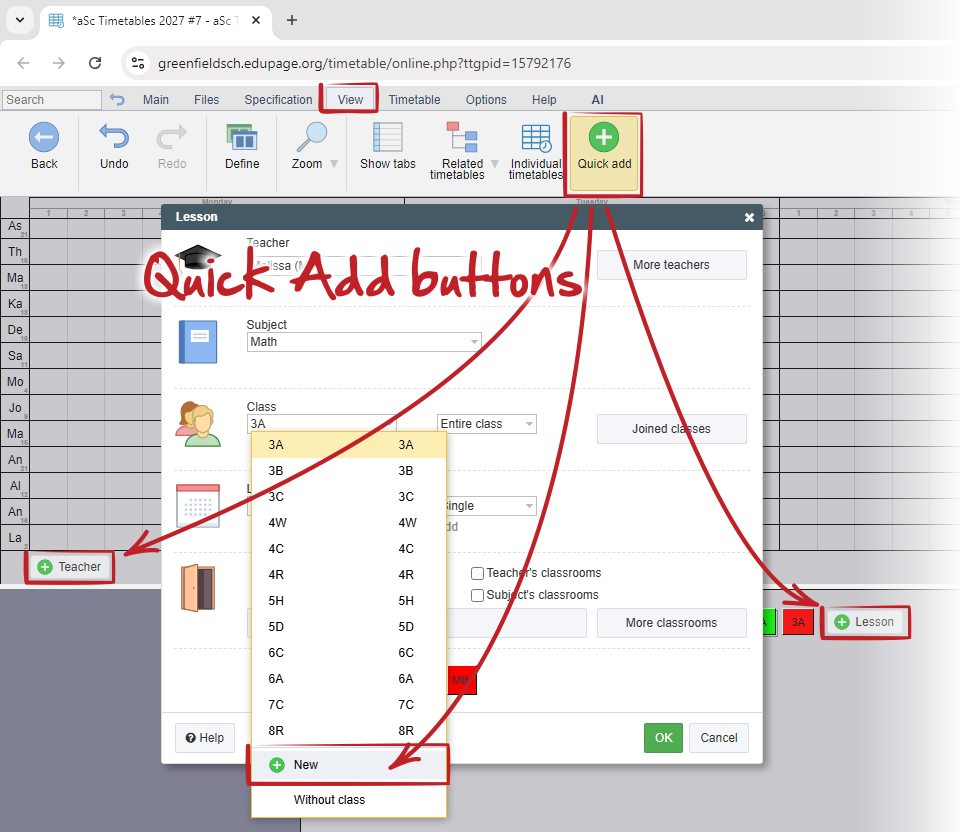
Quick add functions
The Quick Add feature allows users to create missing timetable objects directly from the current screen, speeding up data entry and reducing unnecessary navigation between windows.
See:=quick add buttons
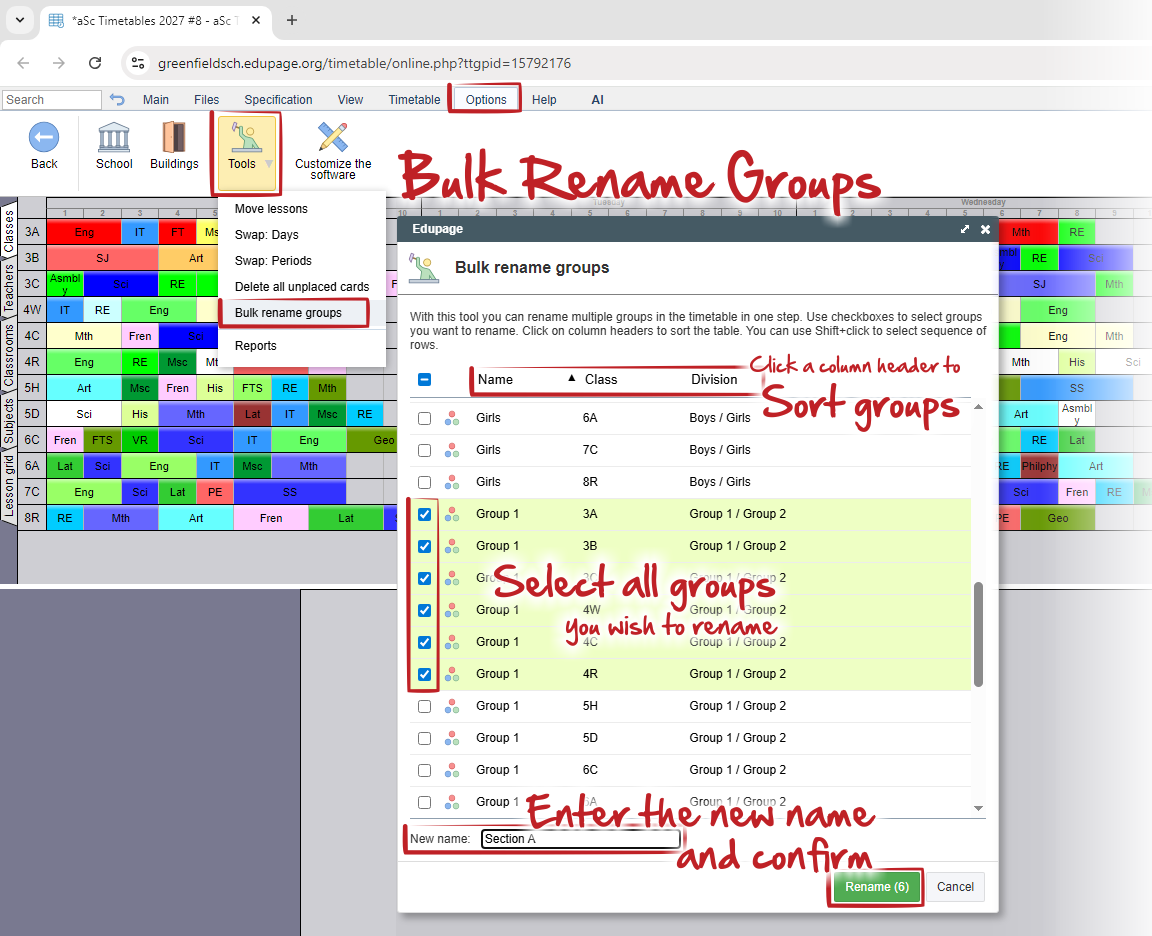
Bulk Renaming Groups
The feature allows users to rename multiple groups across different classes in a single operation, simplifying data imports and updates to naming conventions.
See:=Bulk rename groups
Search field
You can use search field for quick actions:
See: Search field - Timetables online
Export to Smartschool system
You can export your published timetable to Smartschool
See: Export to Smartschool
Change the structure of the printed layouts
Even without entering into print preview.
See: How to change/reset structure of the printed layouts in TT online?
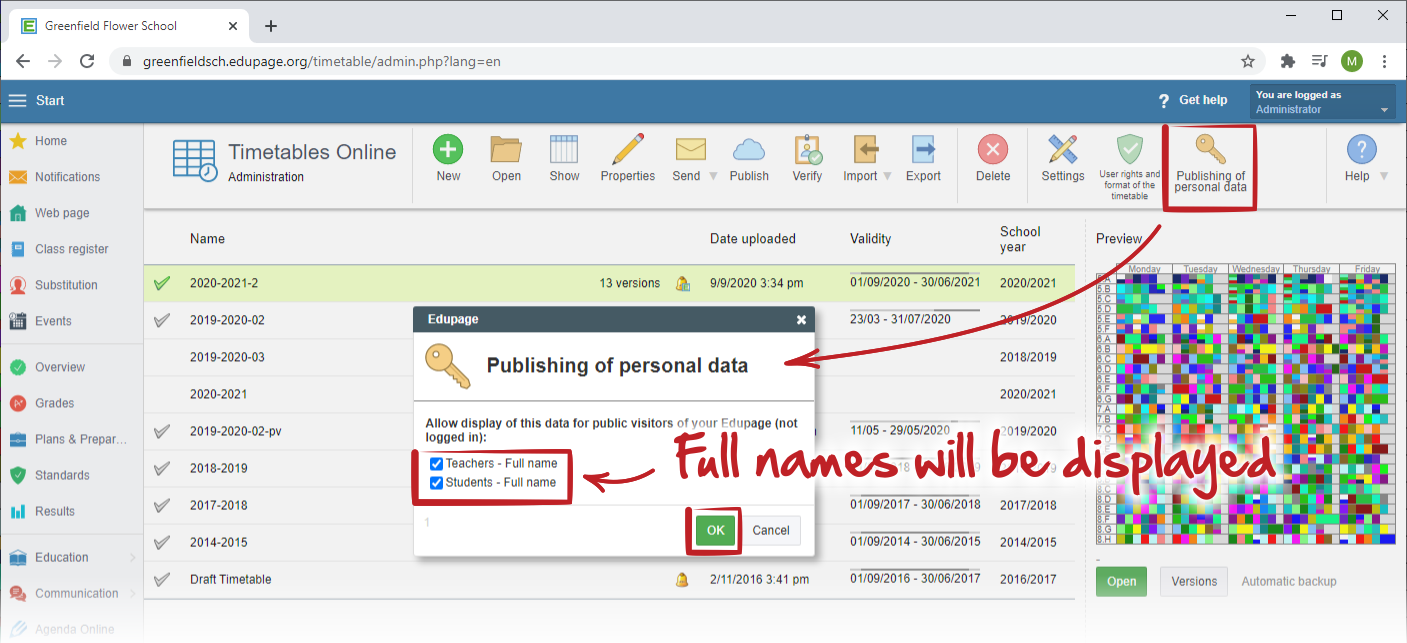
Full names in public timetables
You can display/hide full names in this way:
How can we display full names of teachers and students in timetables for public?
Draft generation
You can specify exact constraints you wish to disable or relax.
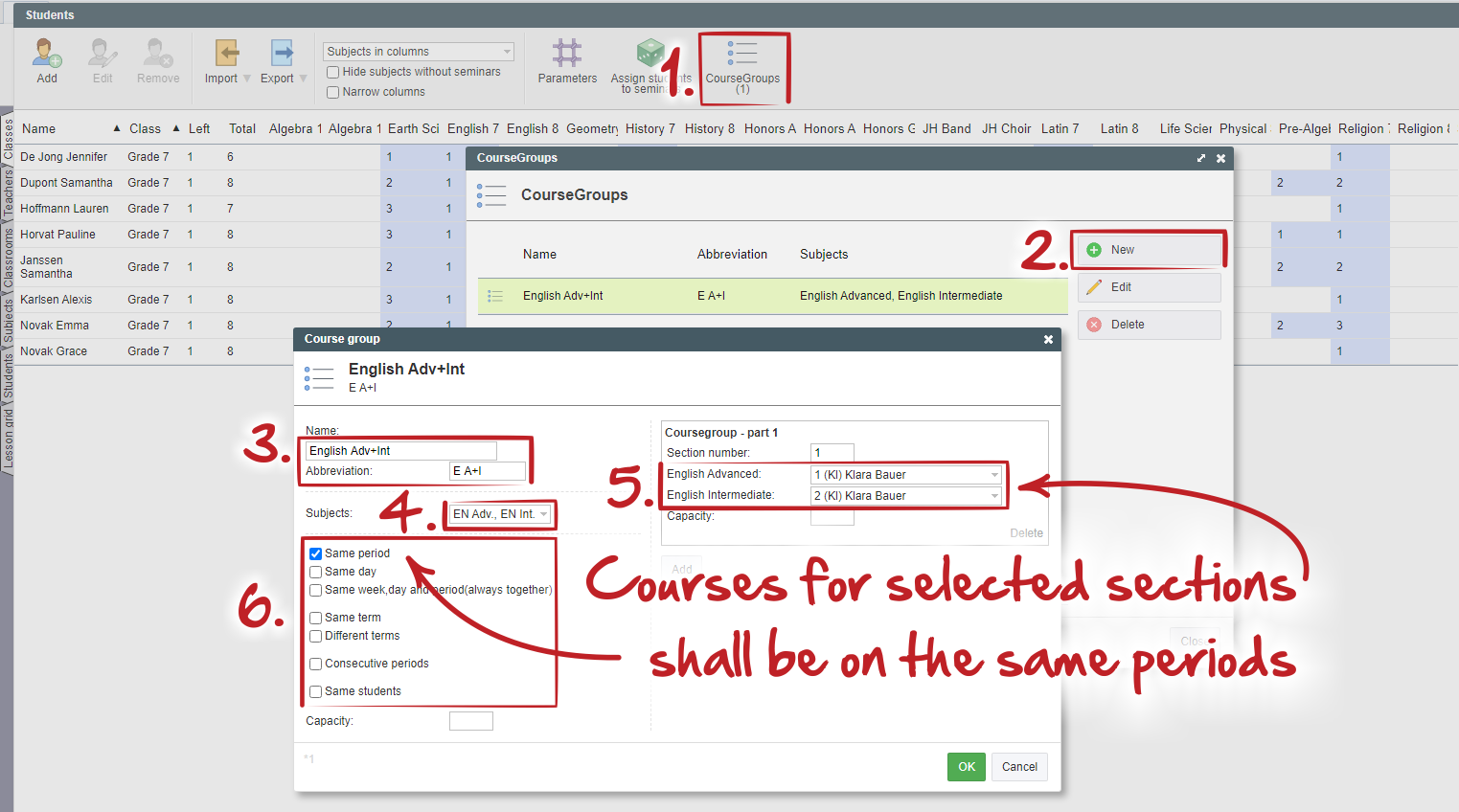
Course groups
You can now create groups of courses in students/seminars window.
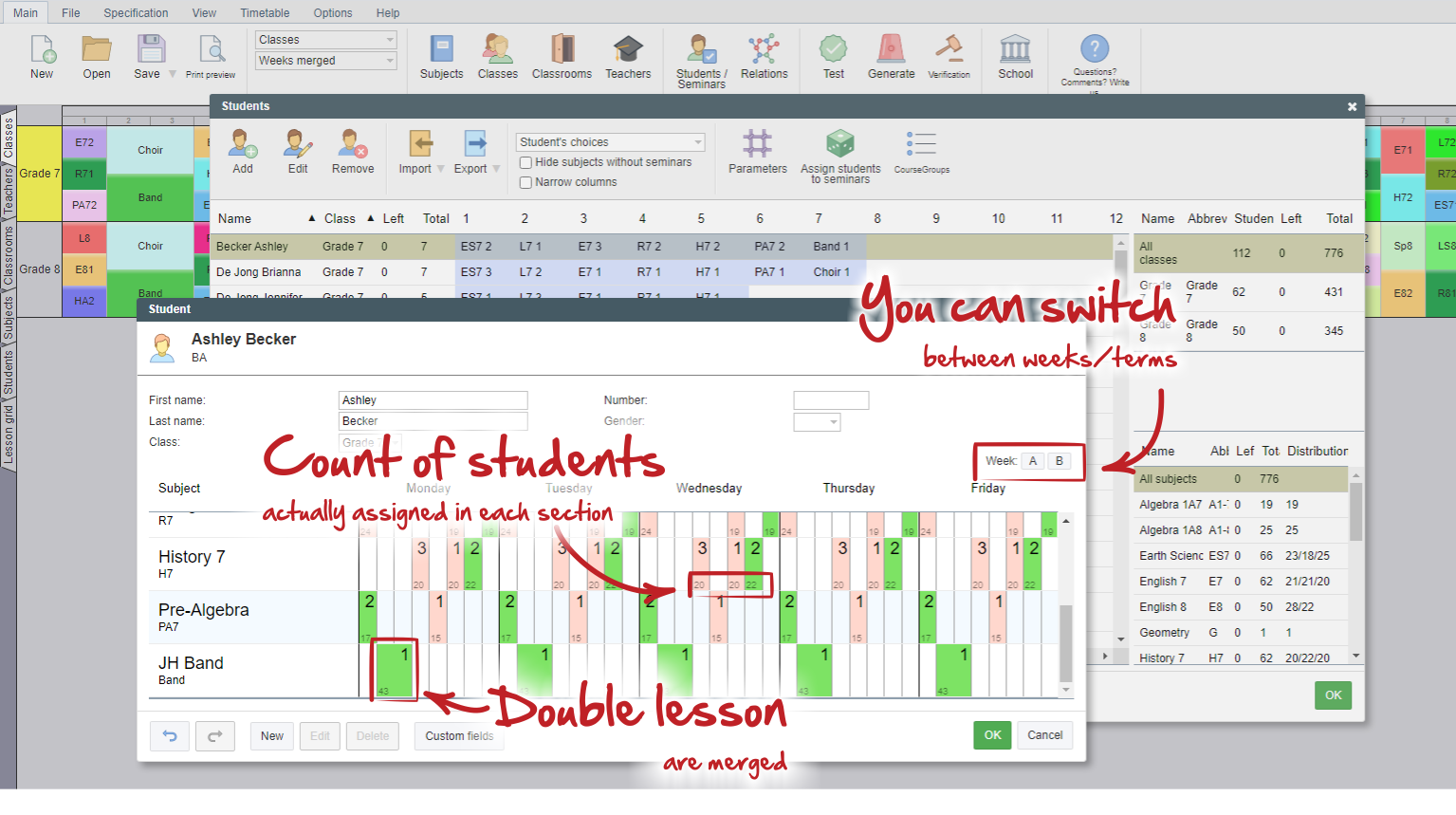
Improvements in students courses window
You can switch between weeks and terms to see details in student's seminars lessons.
Counts of students in each section are displayed on cards.
Longer lessons are no more displayed as single lessons.
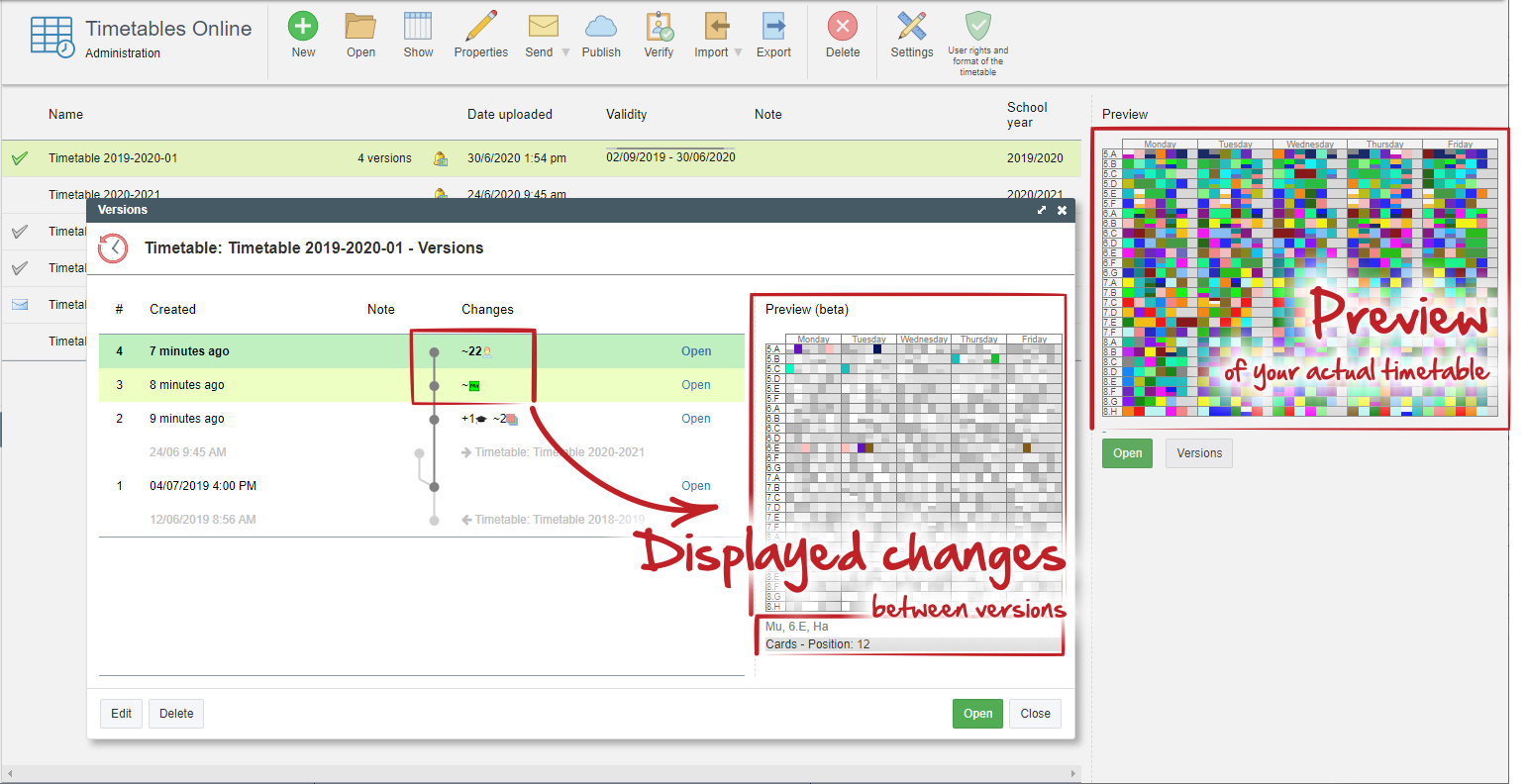
New Administration window with timetable preview
now you can see quick preview with changes you did in your timetable
Students' groups selections
In the "Students" window you can assign individual students into groups you have created in classes divisions.
Weekend
You can select the days of the weekend your school (or country) use
Connect in timetable online
In ASC Timetables online you can work with your colleagues on the same timetable.
Colors on cards
In teacher's edit window you can specify exact colors of texts on printed cards
Change all or filtered lessons at once
You can do global changes in lessons via "Specification - Lessons - Change".