 Slovenčina
  Deutsch
  España
  Francais
  Polish
  Russian
  Greek
Greek  Lithuania
  Romanian
  Arabic
  Português
  Indonesian
  Croatian
  Serbia
  Farsi
Farsi  Hebrew
  Mongolian
  Bulgarian
  Georgia
  Azerbaijani
  Thai
Thai  Turkish
  Magyar
 How to copy a sign‑up event / survey


You can access sign‑up events and surveys by clicking on Communication in the left menu.
Select Manage events.
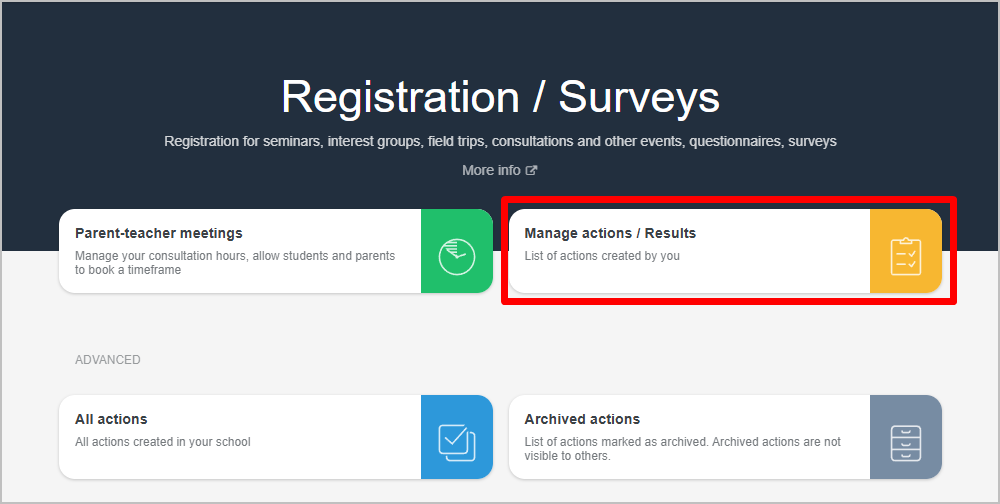
For the sign‑up event / survey you want to copy, click the three dots.
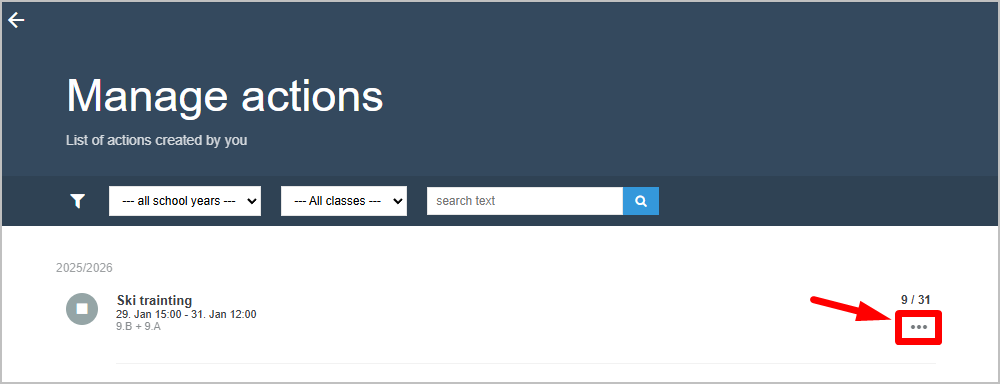
Choose Edit.
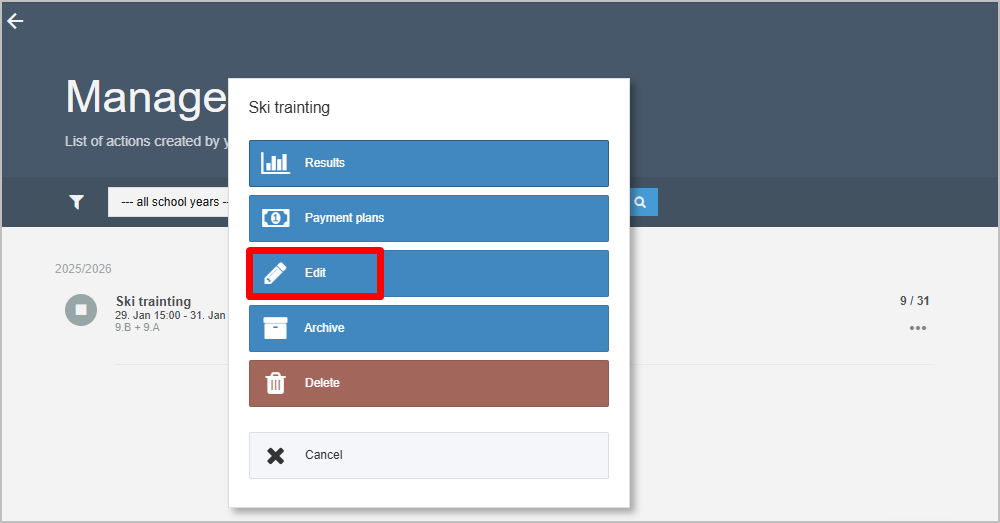
In editing mode, click the three dots in the top right corner and select Save as new.
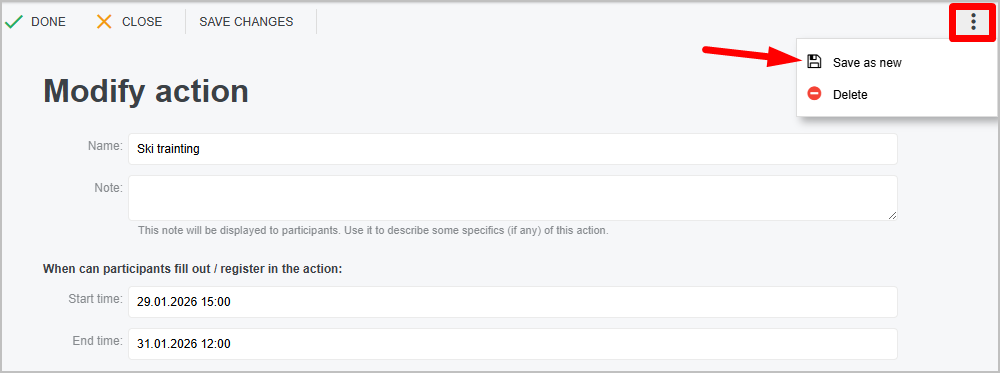
Then open the copied sign‑up event / survey, change the survey completion dates and any other necessary information.