 Deutsch
  España
  Francais
  Polish
  Russian
  Čeština
  Greek
Greek  Lithuania
  Romanian
  Arabic
  Português
  Indonesian
  Croatian
  Serbia
  Farsi
Farsi  Hebrew
  Mongolian
  Bulgarian
  Georgia
  Azerbaijani
  Thai
Thai  Turkish
  Magyar
 Creating presentations with AI


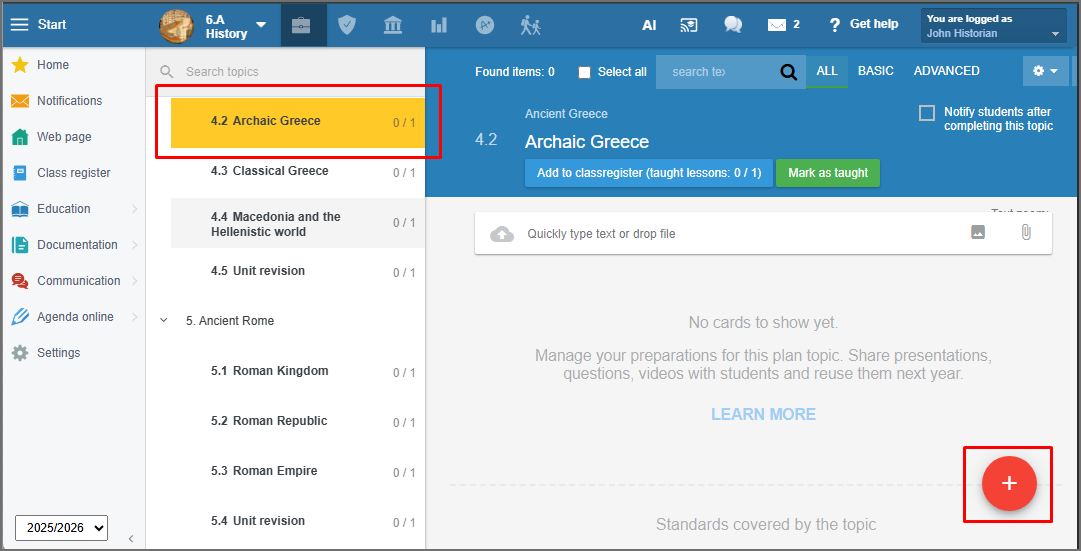
Go to your Plan and select the topic you want to prepare a presentation for. Press the red + button.
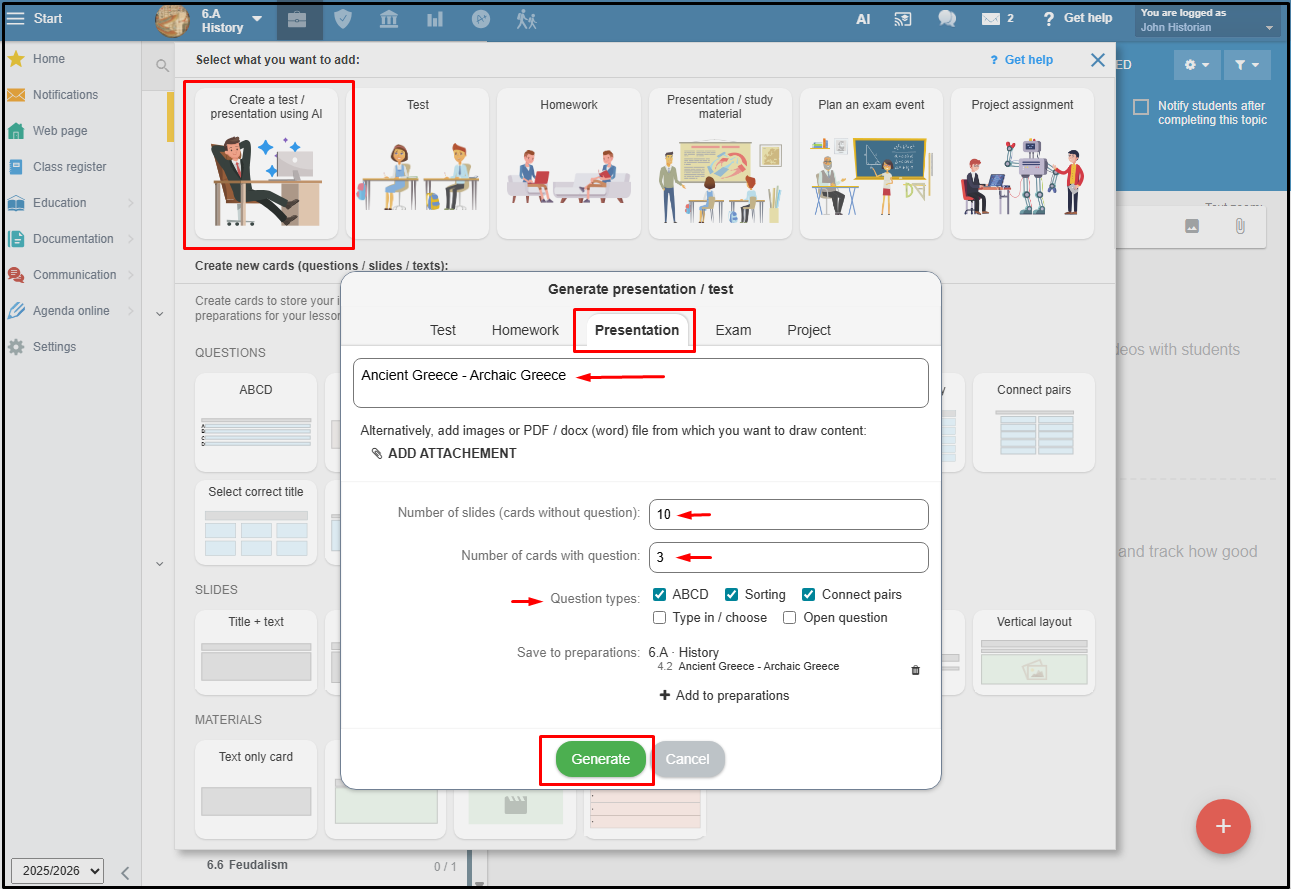
Select the option to create a presentation using AI.The presentation topic will be pre-filled based on the Plan topic. You can edit this field if necessary. Choose the number of slides and decide whether the presentation should include review questions. If you include them, you can also select the question type and specify the quantity. Then, press the Generate button.
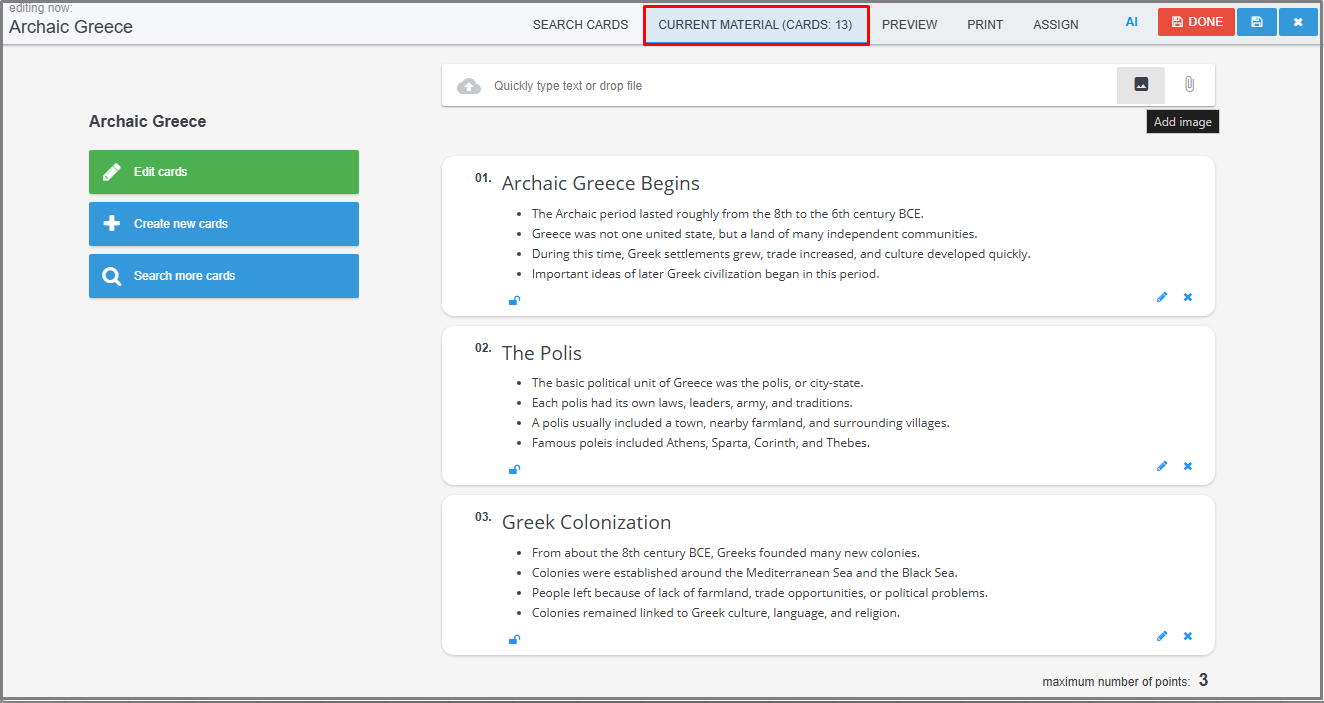
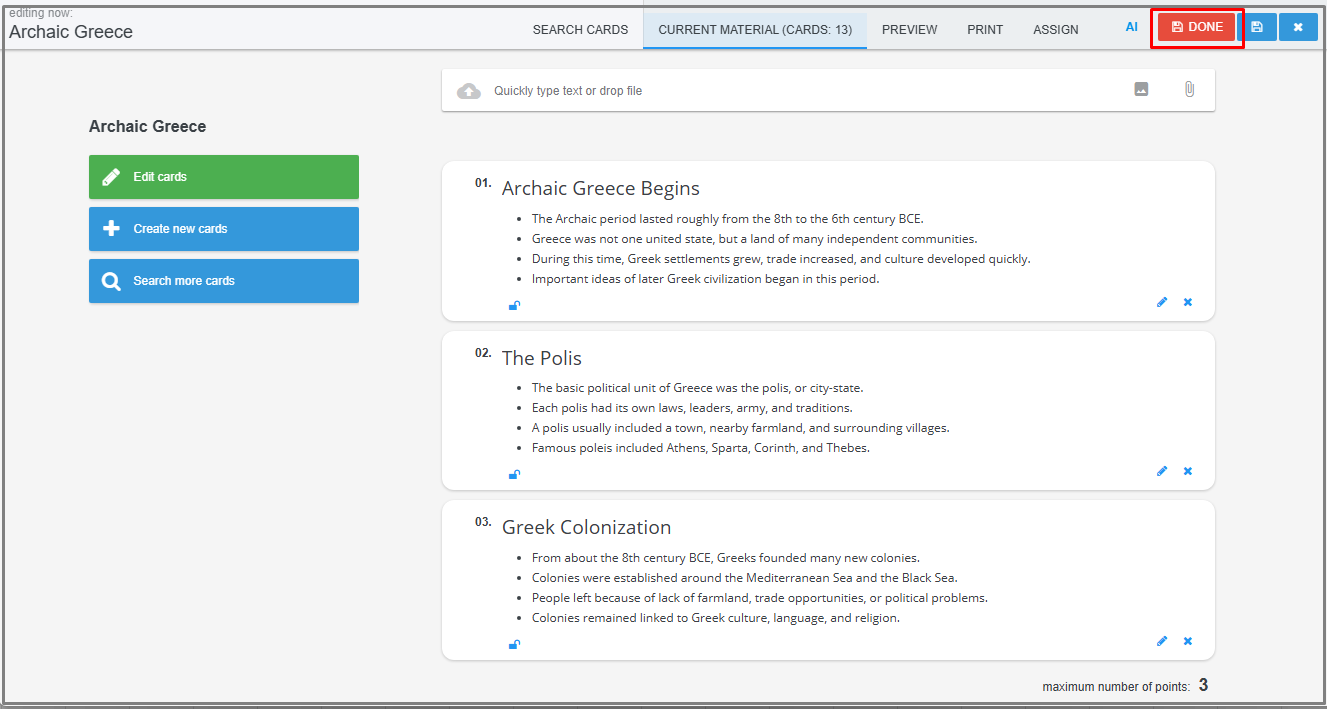
AI will generate the specified number of slides with text content that you can still edit. If you chose to include questions, they will be part of the presentation. Save your presentation by clicking the Done button.
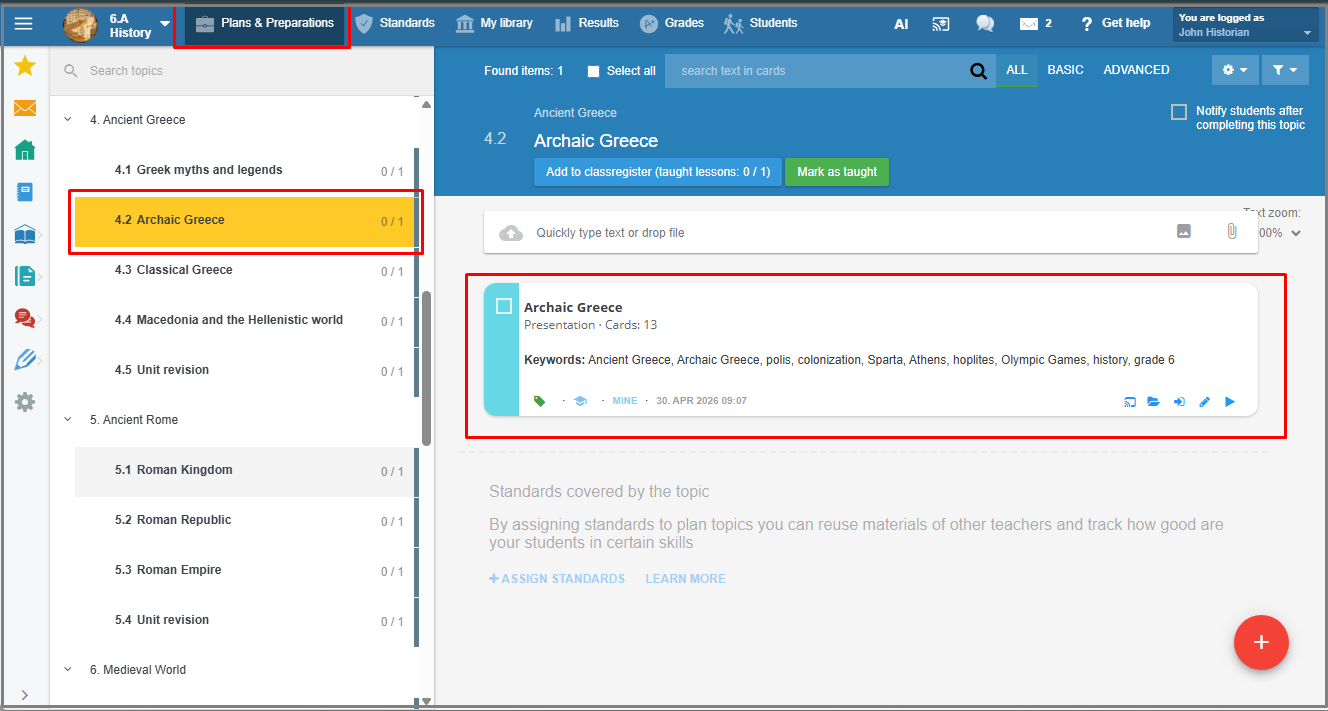
You can find the finished presentation under the Plan topic where you started creating it.
You can insert images and choose a suitable graphic design for the presentation you have created.

A presentation created with EduPage AI is ideal for use in an interactive lesson.

See more guides: Creating teaching materials with EduPage AI