España
  Francais
  Russian
  Čeština
  Greek
Greek  Romanian
  Arabic
  Português
  Indonesian
  Croatian
  Serbia
  Farsi
Farsi  Hebrew
  Mongolian
  Bulgarian
  Georgia
  Azerbaijani
  Thai
Thai  Turkish
  Magyar
 How to change class to a student during school year


When a student changes class during the school year, it is necessary to record this change.
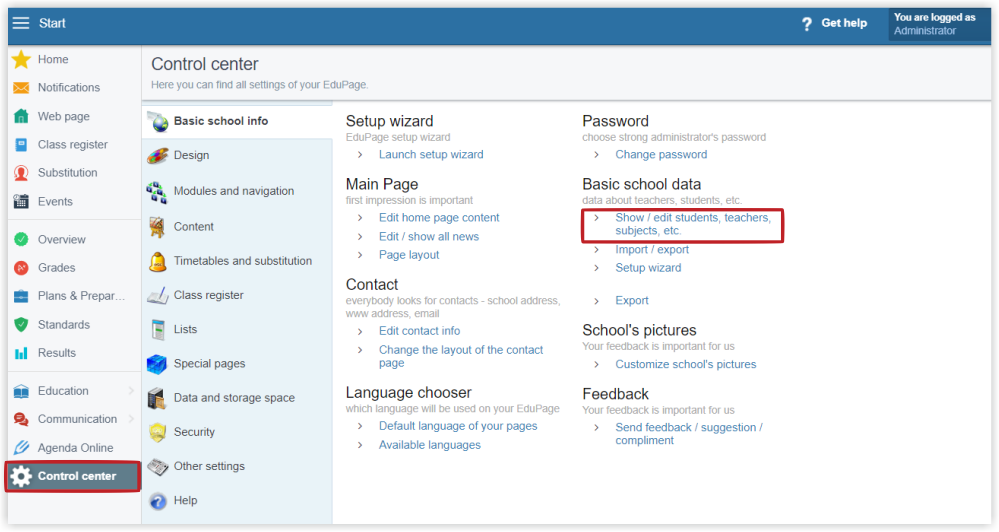
Log in as Administrator. Go to Control Center in the main page. Select "Show/enter students, teachers..." in the "Basic school data" section.
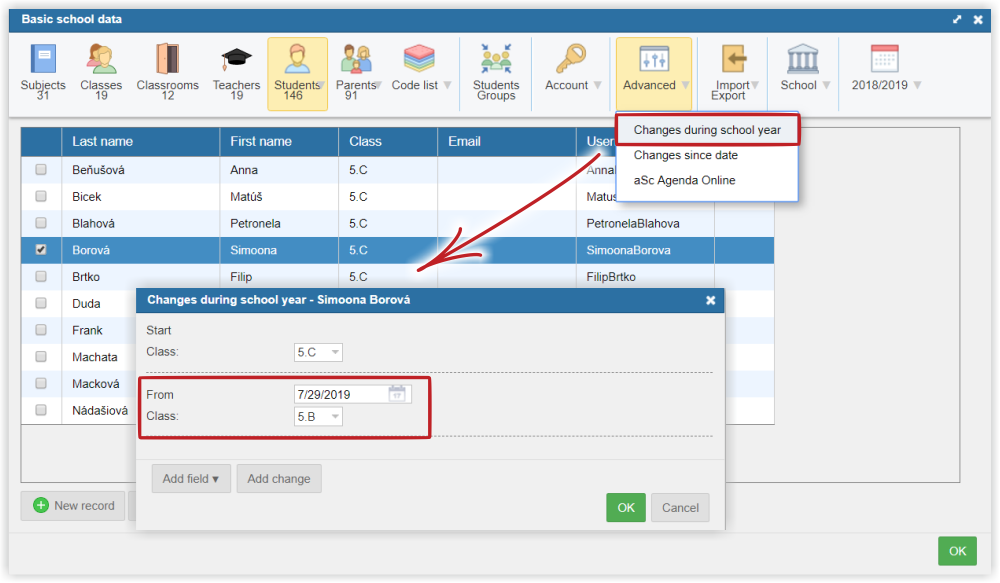
Mark the student who is changing class. Then select "Advanced" and "Changes during the school year".
Select the class which the students starts to attend, in our example 5.B class and the date from which this changing is valid, eg. 07/29/2019.