 Deutsch
  España
  Francais
  Polish
  Russian
  Čeština
  Greek
Greek  Lithuania
  Romanian
  Arabic
  Português
  Indonesian
  Croatian
  Serbia
  Farsi
Farsi  Hebrew
  Mongolian
  Bulgarian
  Georgia
  Azerbaijani
  Thai
Thai  Turkish
  Magyar
 How to decommission a book/textbook
decommission


In the Library/Textbook Storage module, select the Books/Textbooks icon in the top menu.
In the row of the specific title, click on "Items."
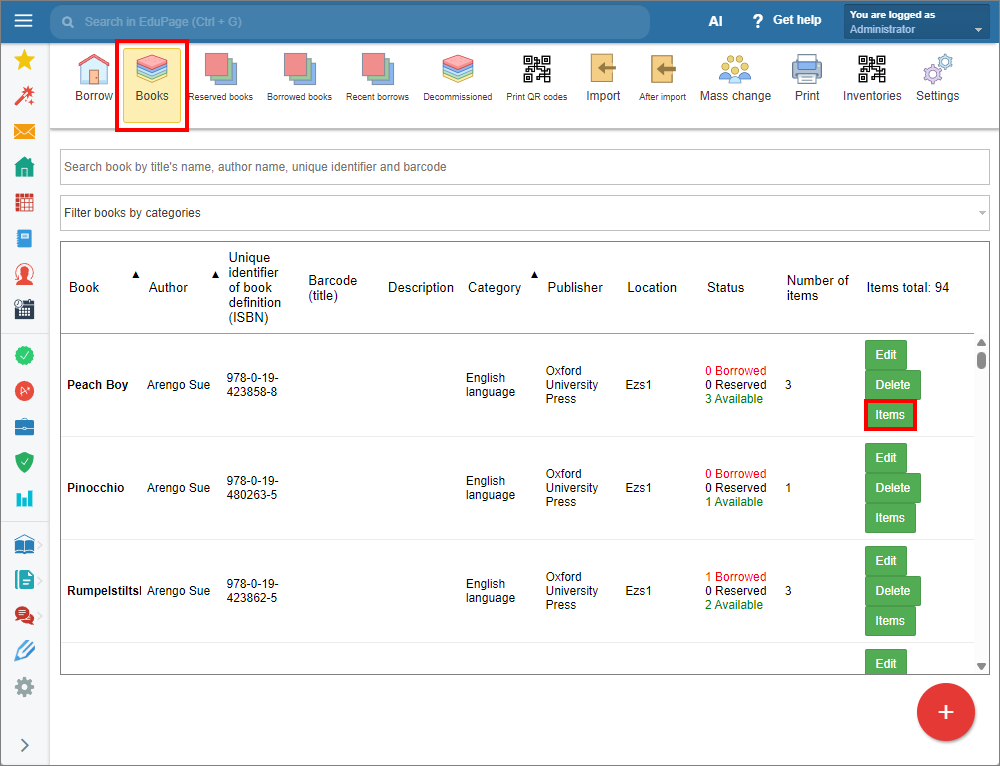
In the displayed window select the item you want to decommission and click the corresponding “Decommission” button. Confirm.
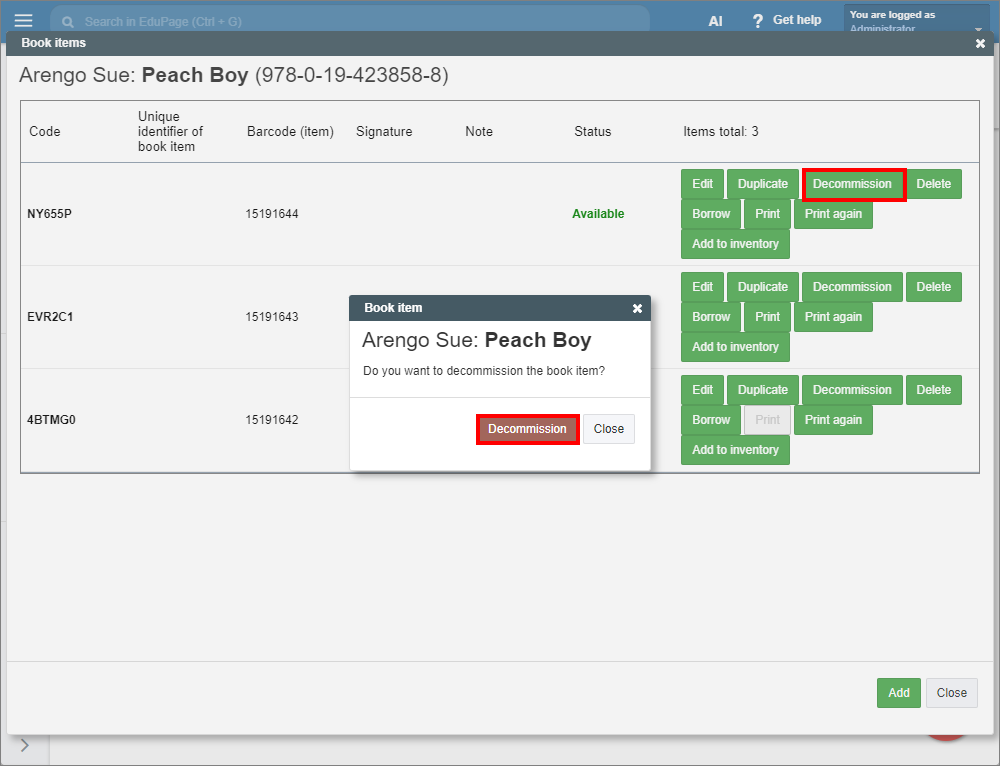
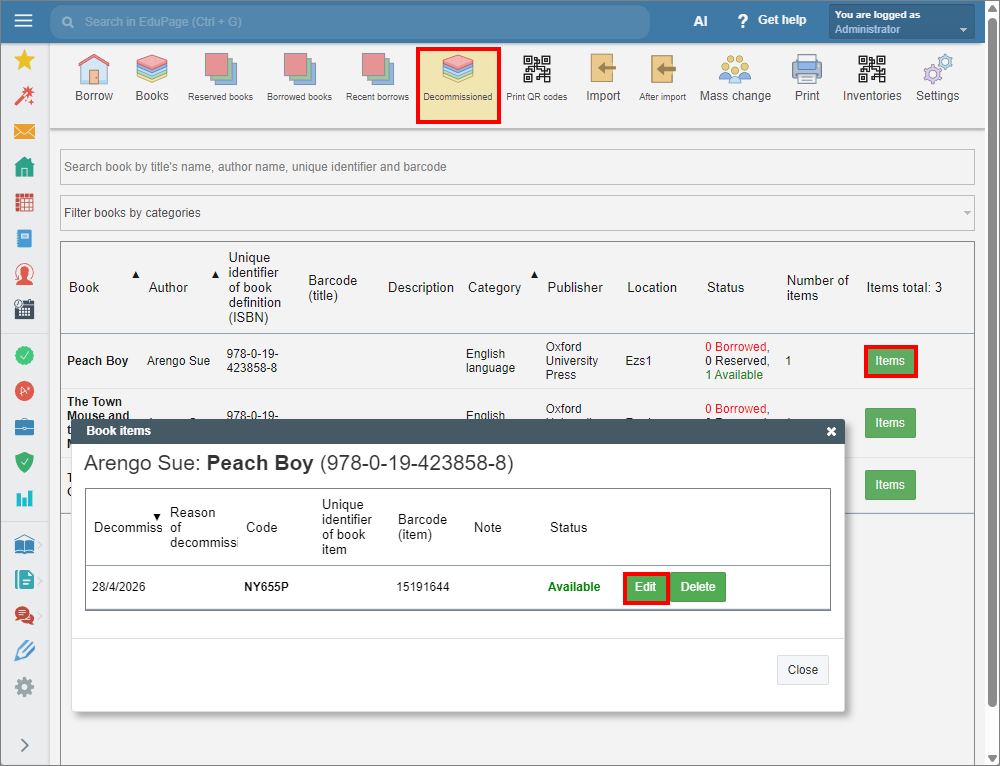
To view or edit decommissioned items open the “Decommissioned” tab. Click the corresponding “Items” button to edit or delete an item.
To print decommissioned items, select the “Print” tab and choose the Withdrawal list from the menu.
See also:
How to print a withdrawal list.
Restoring a mistakenly decommissioned book/textbook.
Note: Users will not see the discarded book in the book list and cannot reserve it.