 Deutsch
  España
  Francais
  Polish
  Russian
  Čeština
  Greek
Greek  Lithuania
  Romanian
  Arabic
  Português
  Indonesian
  Croatian
  Serbia
  Farsi
Farsi  Hebrew
  Mongolian
  Bulgarian
  Georgia
  Azerbaijani
  Thai
Thai  Turkish
  Magyar
 How to import books into the library / textbook storage?
library, textbook storage, import


You can import a list of books from Excel/CSV into the EduPage Library / Textbook storage.
You can do this as an administrator by clicking “Import” on the main Library / Textbook storage screen.
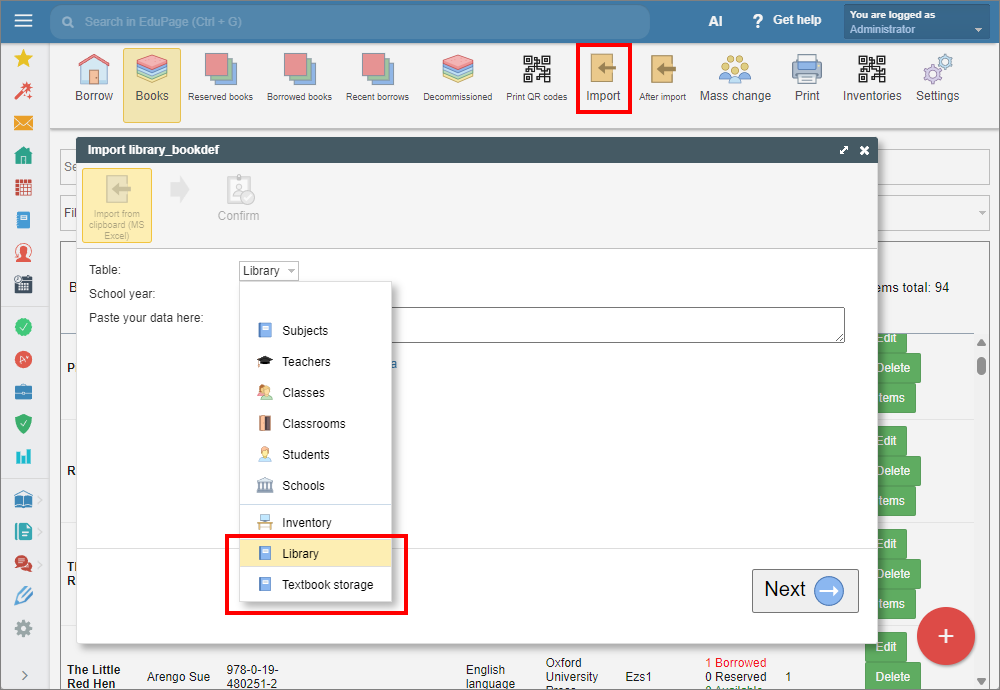
From the drop-down list, pick "Library" or "Textbook storage" and paste the data copied from Excel in the box.
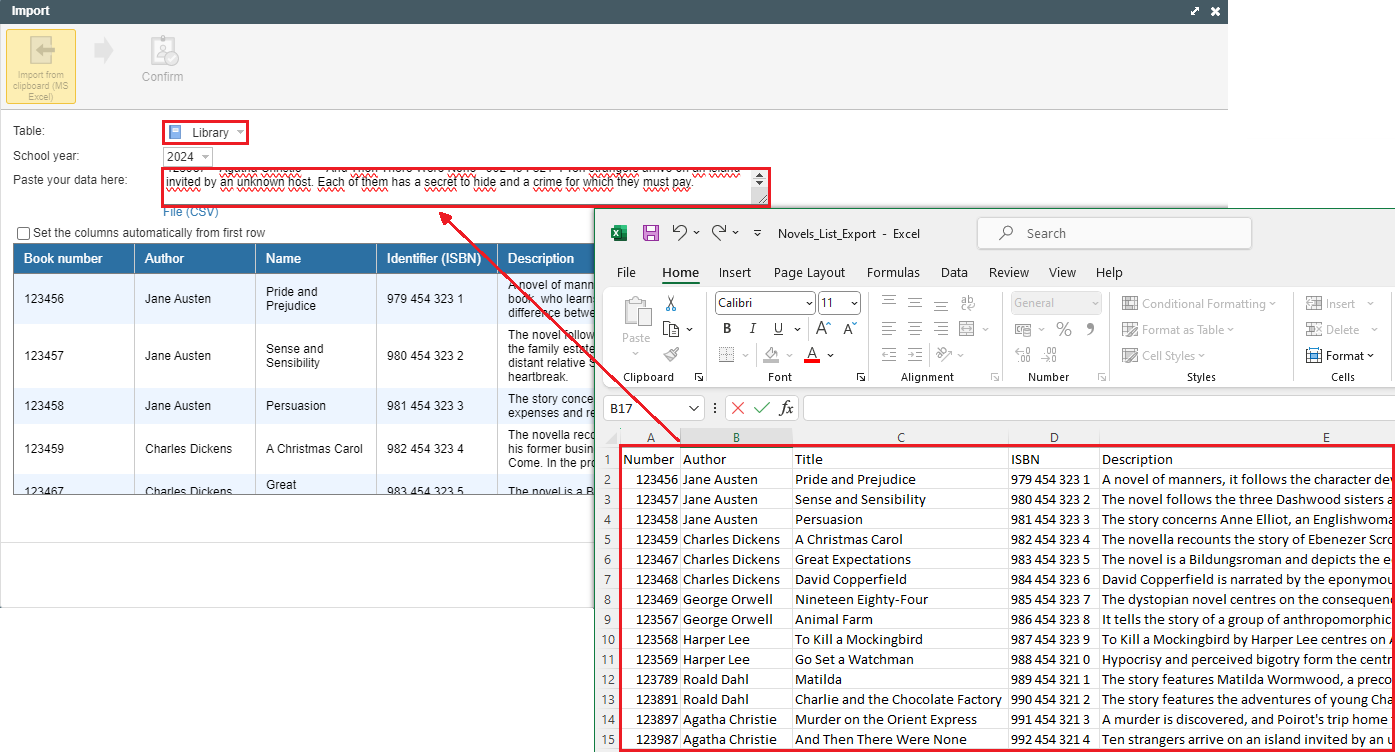
Books that have the same ISBN, title, and author but a different book number are imported as one book title with multiple items.
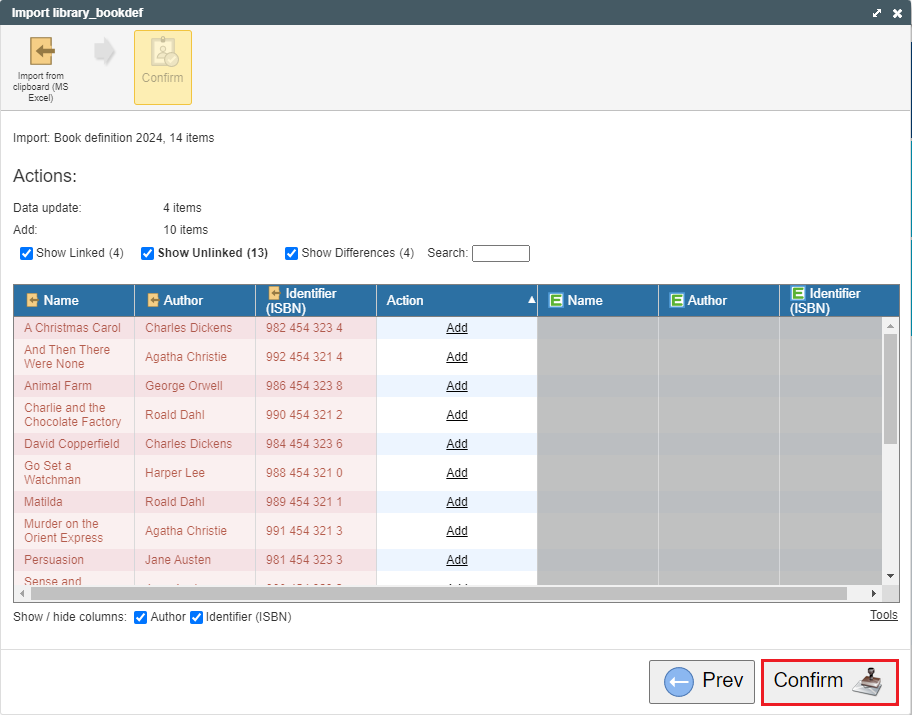
You will see a table that you confirm.
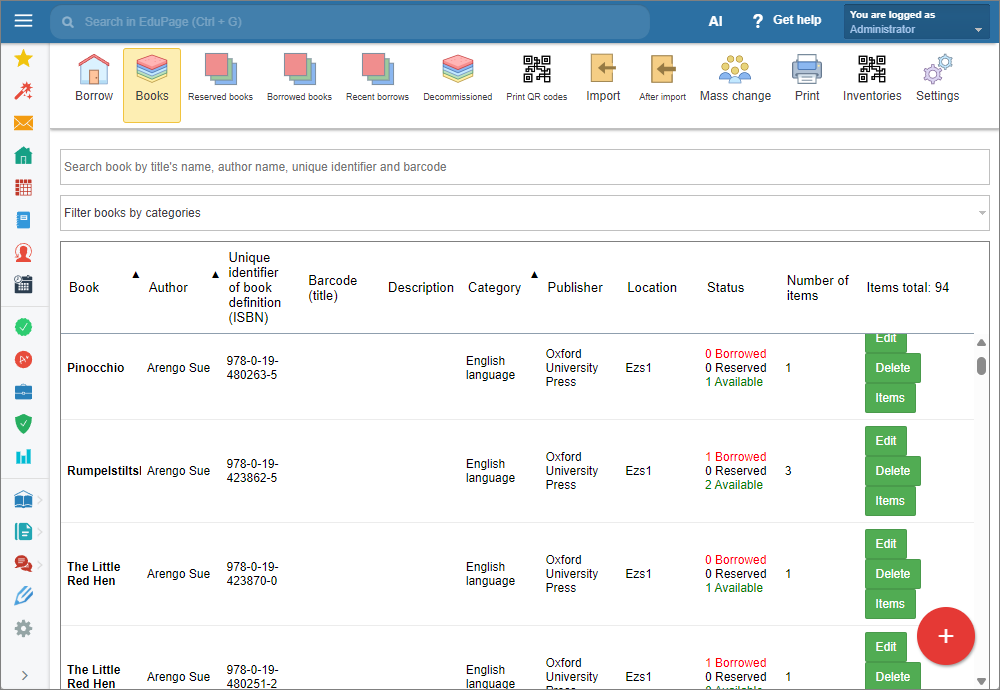
Done. The books have been imported.
See also:
How to add a new book title to the Library/Textbook storage module
Library Administration - Quick overview
Textbook Storage Administration - Quick overview